Lesson 13 · 13 of 20
Secondary windows · tkinter
Open more windows in a tkinter application with Toplevel: title, size and position, modal windows and destroy() to close them.
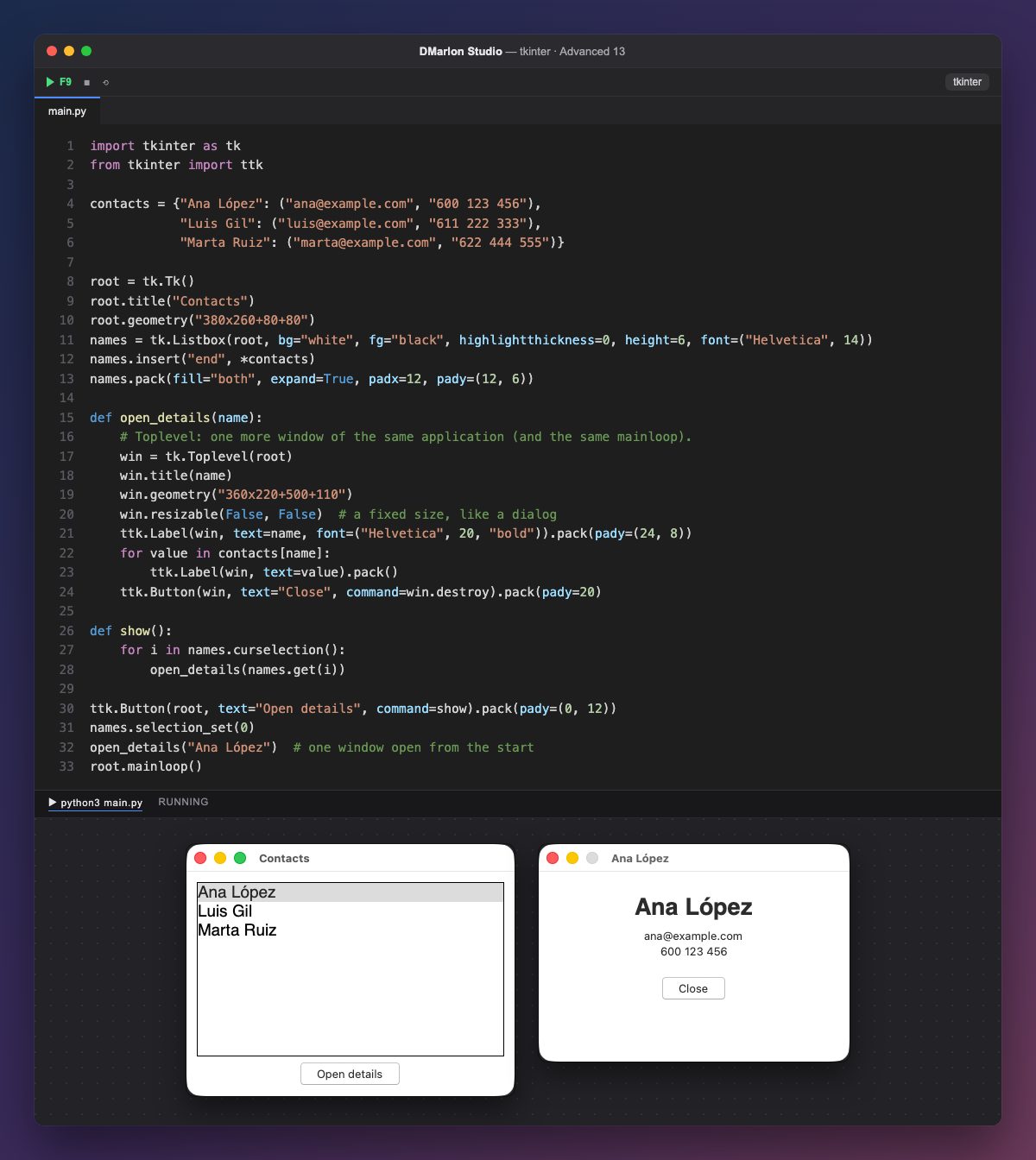
An application has a single tk.Tk(), but it can have many tk.Toplevels: secondary windows with their own title bar that share the same mainloop. Nothing else has to be called for them to show.
open_details creates one window per contact with title() and geometry("360x220+500+110"), which carries the position as well as the size: +x+y from the top-left corner of the screen. The main window sits at +80+80 so both are seen side by side.
resizable(False, False) gives it a fixed size, like a dialog box. To keep it always in front of the main window and minimise with it, add win.transient(root); and if it must be modal (the main window can't be used until it is closed), win.grab_set().
The "Close" button calls win.destroy, which closes only that window; closing the main window closes them all. "Open details" opens another one for the contact selected in the list, and one is already open at start, Ana's.
In DMarlon Studio each window you design is a form of the application; secondary windows like this one are opened from its code with tk.Toplevel.
Code · main.py
import tkinter as tkfrom tkinter import ttkcontacts = {"Ana López": ("ana@example.com", "600 123 456"), "Luis Gil": ("luis@example.com", "611 222 333"), "Marta Ruiz": ("marta@example.com", "622 444 555")}root = tk.Tk()root.title("Contacts")root.geometry("380x260+80+80")names = tk.Listbox(root, bg="white", fg="black", highlightthickness=0, height=6, font=("Helvetica", 14))names.insert("end", *contacts)names.pack(fill="both", expand=True, padx=12, pady=(12, 6))def open_details(name): # Toplevel: one more window of the same application (and the same mainloop). win = tk.Toplevel(root) win.title(name) win.geometry("360x220+500+110") win.resizable(False, False) # a fixed size, like a dialog ttk.Label(win, text=name, font=("Helvetica", 20, "bold")).pack(pady=(24, 8)) for value in contacts[name]: ttk.Label(win, text=value).pack() ttk.Button(win, text="Close", command=win.destroy).pack(pady=20)def show(): for i in names.curselection(): open_details(names.get(i))ttk.Button(root, text="Open details", command=show).pack(pady=(0, 12))names.selection_set(0)open_details("Ana López") # one window open from the startroot.mainloop()Key points
- One
Tk()and as manyToplevels as you need. geometry("WxH+x+y")sets size and position.transient()ties it to the main window andgrab_set()makes it modal.destroy()closes only that window.
Exercise
Make the details window modal with grab_set() and stop two windows opening for the same contact.