Lesson 14 · 14 of 20
Message and input dialogs · tkinter
Use tkinter's messagebox and simpledialog: notices, questions and input prompts, and what each function returns when closed.
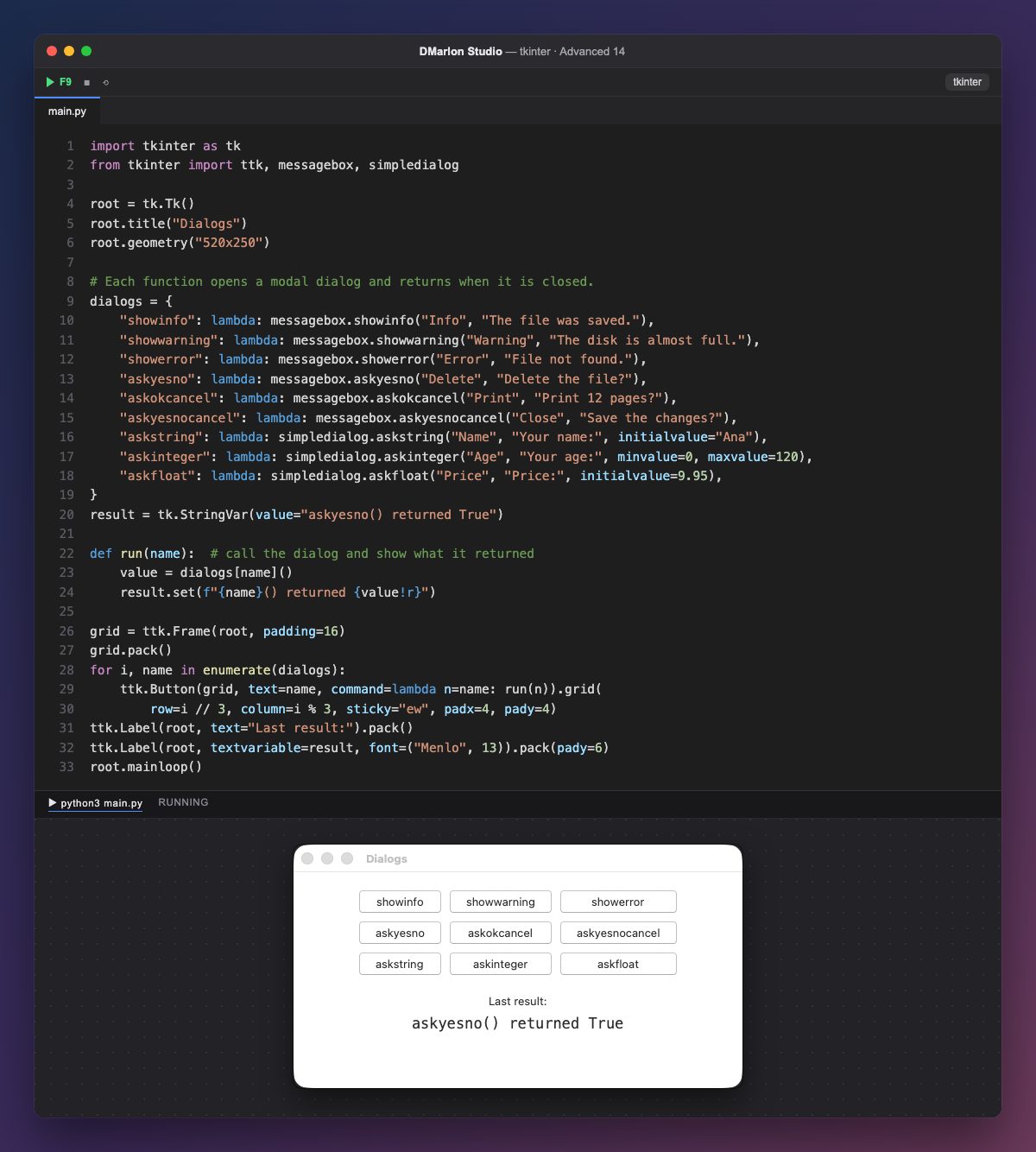
Dialogs are modal: the function opens the little window, waits for the user to close it and then returns a value. That is why they never open at start but from a button: each button calls run, which runs the dialog and shows what it returned. At start, the label shows a sample result.
messagebox.showinfo, showwarning and showerror just inform, with an info, warning or error icon, and return "ok". They take the title and the message.
Questions return the choice: askyesno gives True (yes) or False (no); askokcancel, True or False; and askyesnocancel, True, False or None when cancelled, exactly what "Save the changes?" needs. There are also askquestion, which returns "yes" or "no", and askretrycancel.
simpledialog asks for a value: askstring returns the text, askinteger an integer (with minvalue and maxvalue it rejects values out of range) and askfloat a decimal number; initialvalue fills the field. All of them return None when Cancel is pressed, so check before using the value.
The dialogs dictionary holds one no-argument function (lambda) per dialog, and the loop makes a button for each in a three-column grid, with i // 3 as the row and i % 3 as the column. These dialogs are not in the DMarlon Studio palette, but you call them the same way from the code of any window you design.
Code · main.py
import tkinter as tkfrom tkinter import ttk, messagebox, simpledialogroot = tk.Tk()root.title("Dialogs")root.geometry("520x250")# Each function opens a modal dialog and returns when it is closed.dialogs = { "showinfo": lambda: messagebox.showinfo("Info", "The file was saved."), "showwarning": lambda: messagebox.showwarning("Warning", "The disk is almost full."), "showerror": lambda: messagebox.showerror("Error", "File not found."), "askyesno": lambda: messagebox.askyesno("Delete", "Delete the file?"), "askokcancel": lambda: messagebox.askokcancel("Print", "Print 12 pages?"), "askyesnocancel": lambda: messagebox.askyesnocancel("Close", "Save the changes?"), "askstring": lambda: simpledialog.askstring("Name", "Your name:", initialvalue="Ana"), "askinteger": lambda: simpledialog.askinteger("Age", "Your age:", minvalue=0, maxvalue=120), "askfloat": lambda: simpledialog.askfloat("Price", "Price:", initialvalue=9.95),}result = tk.StringVar(value="askyesno() returned True")def run(name): # call the dialog and show what it returned value = dialogs[name]() result.set(f"{name}() returned {value!r}")grid = ttk.Frame(root, padding=16)grid.pack()for i, name in enumerate(dialogs): ttk.Button(grid, text=name, command=lambda n=name: run(n)).grid( row=i // 3, column=i % 3, sticky="ew", padx=4, pady=4)ttk.Label(root, text="Last result:").pack()ttk.Label(root, textvariable=result, font=("Menlo", 13)).pack(pady=6)root.mainloop()Key points
- Dialogs are modal: they return the value when closed.
show*return"ok";ask*return the answer.askyesnocancelandsimpledialogreturnNoneon cancel.- Open them from a button, never at start.
Exercise
Add a button that asks with askinteger for a number of copies between 1 and 10 and, unless cancelled, writes "Printing N copies" in the label.