Lesson 6 · 6 of 20
Progress bars · tkinter
Show how a task is going with tkinter's ttk.Progressbar: determinate mode with value and maximum, indeterminate mode and vertical bars.
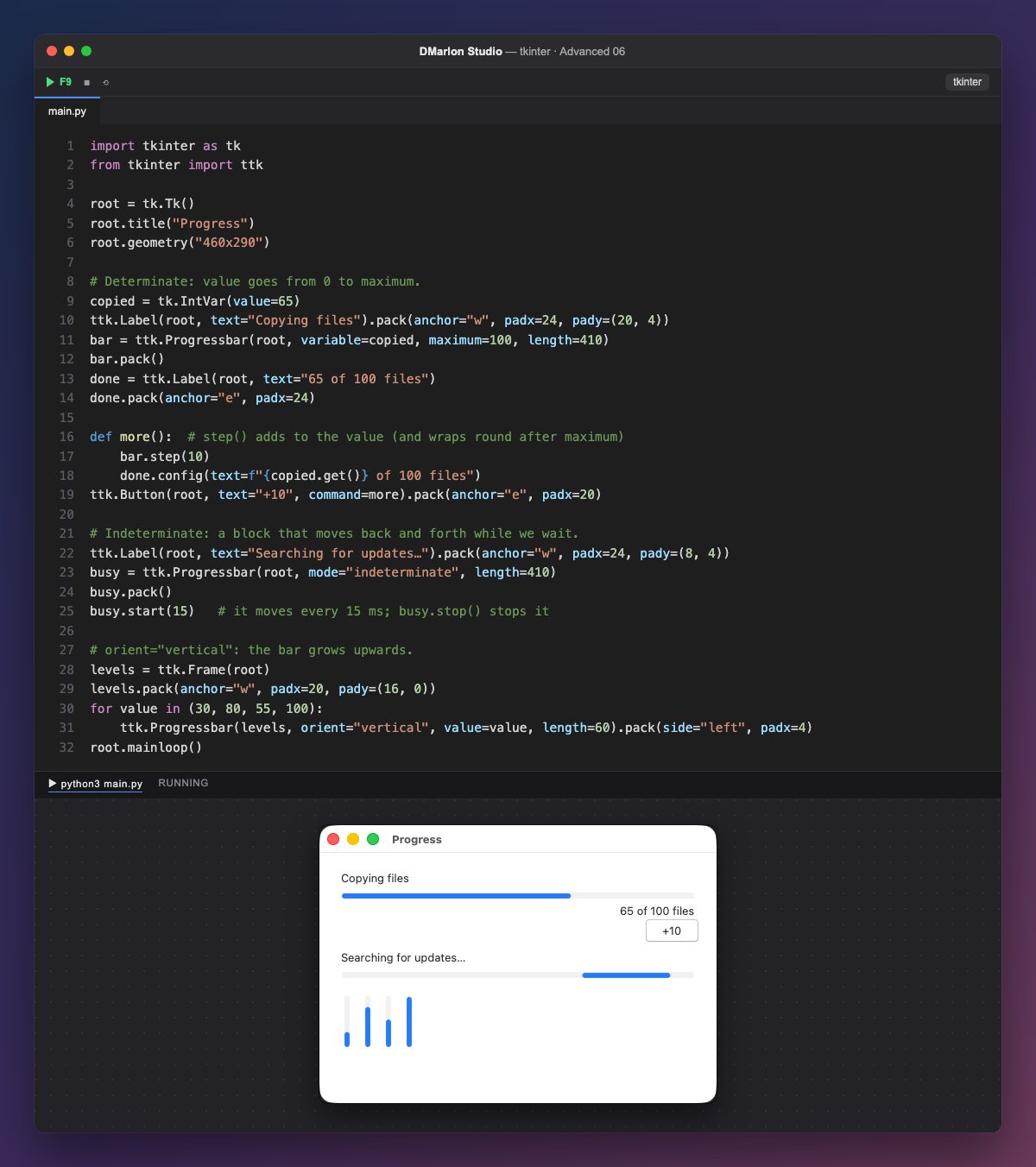
ttk.Progressbar has two modes. In determinate mode (the default) it shows how much is done: maximum=100 is the total and the value is the part done. Here the value lives in an IntVar (variable=copied), so changing the variable moves the bar; bar["value"] = 65 works too.
step(10) adds 10 to the value; the +10 button uses it and updates the text "65 of 100 files". Past the maximum the bar wraps round to zero, so a real program checks before reaching the end.
Indeterminate mode (mode="indeterminate") does not know how much is left: a block moves back and forth while you wait. start(15) moves it every 15 milliseconds and stop() stops it. It suits searches or connections of unknown length.
With orient="vertical" the bar grows upwards; length is its length in pixels in either orientation. The four at the bottom, at 30, 80, 55 and 100, look like a level meter.
In DMarlon Studio it is the Progress bar in the palette: its value, maximum, mode and orientation are set in the inspector, and the studio writes the ttk.Progressbar.
Code · main.py
import tkinter as tkfrom tkinter import ttkroot = tk.Tk()root.title("Progress")root.geometry("460x290")# Determinate: value goes from 0 to maximum.copied = tk.IntVar(value=65)ttk.Label(root, text="Copying files").pack(anchor="w", padx=24, pady=(20, 4))bar = ttk.Progressbar(root, variable=copied, maximum=100, length=410)bar.pack()done = ttk.Label(root, text="65 of 100 files")done.pack(anchor="e", padx=24)def more(): # step() adds to the value (and wraps round after maximum) bar.step(10) done.config(text=f"{copied.get()} of 100 files")ttk.Button(root, text="+10", command=more).pack(anchor="e", padx=20)# Indeterminate: a block that moves back and forth while we wait.ttk.Label(root, text="Searching for updates…").pack(anchor="w", padx=24, pady=(8, 4))busy = ttk.Progressbar(root, mode="indeterminate", length=410)busy.pack()busy.start(15) # it moves every 15 ms; busy.stop() stops it# orient="vertical": the bar grows upwards.levels = ttk.Frame(root)levels.pack(anchor="w", padx=20, pady=(16, 0))for value in (30, 80, 55, 100): ttk.Progressbar(levels, orient="vertical", value=value, length=60).pack(side="left", padx=4)root.mainloop()Key points
- Determinate:
valueout ofmaximum. variable=ties the bar to anIntVar.- Indeterminate:
start(ms)to move it andstop()to stop it. orient="vertical"stands it upright.
Exercise
Make the button add only while the value is below 100 and, on reaching 100, stop the indeterminate bar with stop().