Lesson 16 · 16 of 20
Timers with after() · tkinter
Schedule work over time with tkinter's after(): a countdown that repeats every second, pauses with after_cancel and never blocks the window.
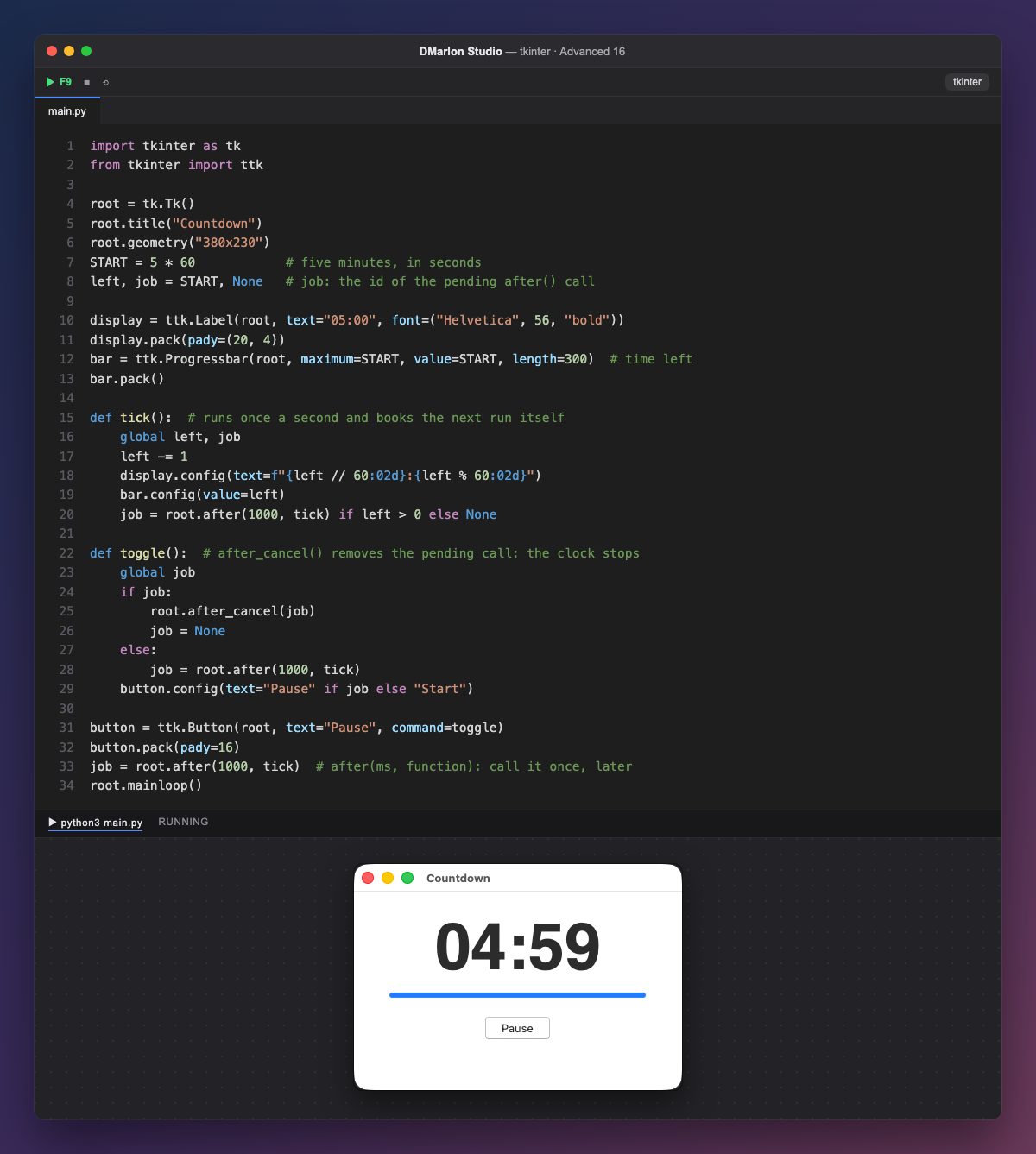
root.after(1000, tick) asks tkinter to call tick once, 1000 milliseconds from now, and returns at once: the window keeps responding in the meantime. Never use time.sleep in a windowed application: it freezes everything until it ends.
To repeat, tick schedules itself again: it takes away a second, updates the text (:02d pads with zeros, 04:59) and the bar, and books another call while there are seconds left. At zero it sets job to None and stops.
after returns an id, stored in job. With it, after_cancel(job) cancels the pending call: that is how toggle pauses. To resume it books a new call, and the button switches between "Pause" and "Start".
The countdown starts on its own at 05:00; that is why the window in the picture, captured a moment after opening, already shows 04:59. The progress bar, with value=left, empties as time goes by.
In DMarlon Studio it is the Timer in the palette: it doesn't show in the window; in the inspector you choose the interval and the method to call, and the studio generates a small class that uses after to call it again and again and is switched on or off with enabled.
Code · main.py
import tkinter as tkfrom tkinter import ttkroot = tk.Tk()root.title("Countdown")root.geometry("380x230")START = 5 * 60 # five minutes, in secondsleft, job = START, None # job: the id of the pending after() calldisplay = ttk.Label(root, text="05:00", font=("Helvetica", 56, "bold"))display.pack(pady=(20, 4))bar = ttk.Progressbar(root, maximum=START, value=START, length=300) # time leftbar.pack()def tick(): # runs once a second and books the next run itself global left, job left -= 1 display.config(text=f"{left // 60:02d}:{left % 60:02d}") bar.config(value=left) job = root.after(1000, tick) if left > 0 else Nonedef toggle(): # after_cancel() removes the pending call: the clock stops global job if job: root.after_cancel(job) job = None else: job = root.after(1000, tick) button.config(text="Pause" if job else "Start")button = ttk.Button(root, text="Pause", command=toggle)button.pack(pady=16)job = root.after(1000, tick) # after(ms, function): call it once, laterroot.mainloop()Key points
after(ms, function)calls once, later, without blocking.- To repeat, the function schedules itself again.
after_cancel(id)cancels the pending call.- Never
time.sleepin a window.
Exercise
Add a "Reset" button that goes back to 05:00 and make the text turn red and say "Time's up!" when it reaches zero.