Lesson 12 · 12 of 20
Spinbox: values with arrows · tkinter
tkinter's ttk.Spinbox: numbers with from_, to and increment, a fixed list of values with wrap, and decimals with format.
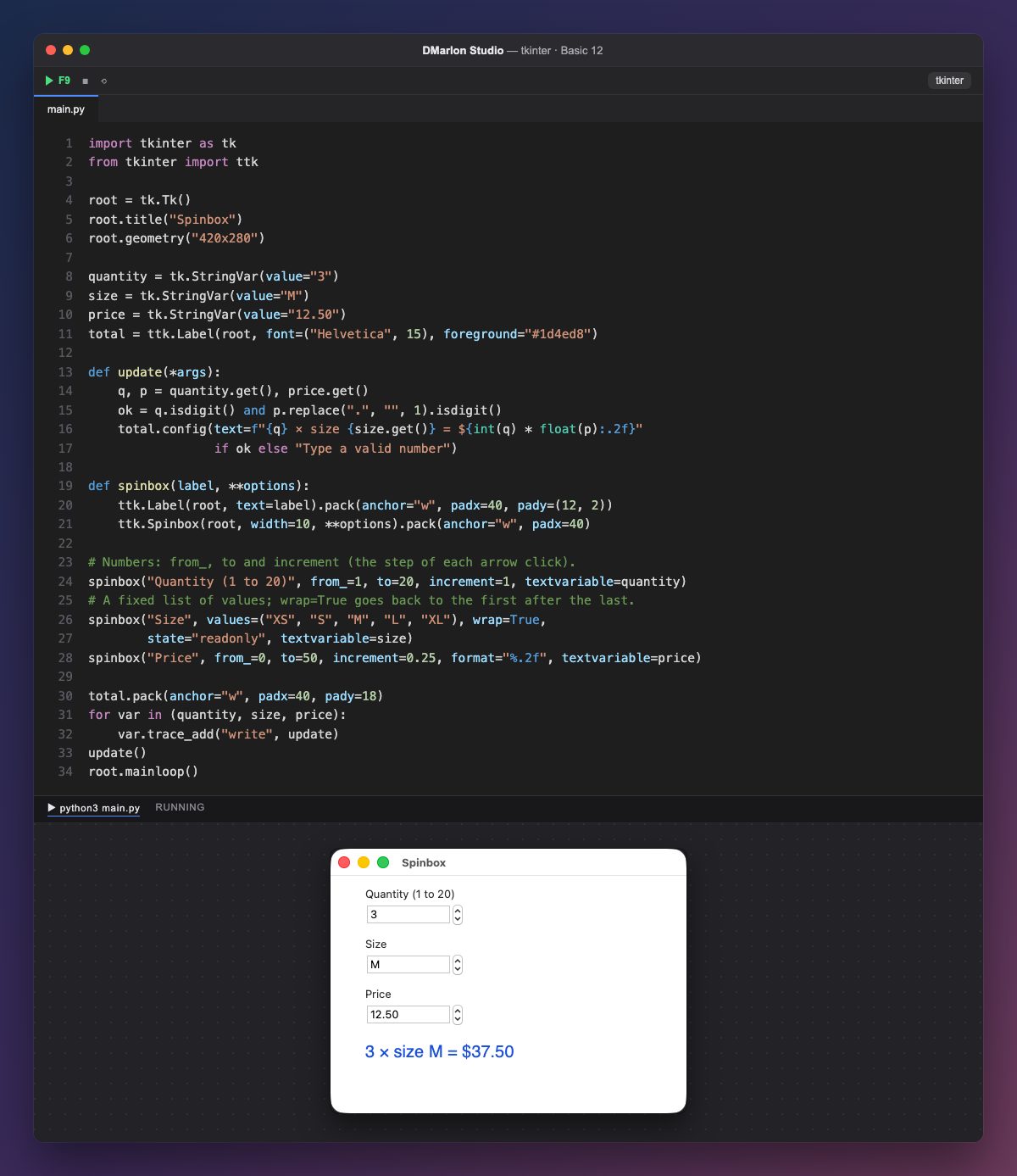
A Spinbox is a field with two arrows that raise and lower its value. You can type in it, like an Entry, or press the arrows.
The quantity one is numeric: `from_=1`, `to=20` and `increment=1`, the step of each click. The price one moves 0.25 at a time, and `format="%.2f"` always shows it with two decimals.
The size one uses `values`: a fixed list instead of a range. `wrap=True` goes back to «XS» after «XL», and state="readonly" stops anything else being typed.
Each one is bound to a StringVar with textvariable, and trace_add calls update on every change. update checks that the numbers are valid (isdigit()) before converting them with int() and float(), and writes the total; otherwise it asks for a valid number.
The spinbox function avoids repeating code: it creates the label and the Spinbox and passes each one's options through **options. The Spinbox is not in the DMarlon Studio palette, but you can add it by hand in the studio's Code tab.
Code · main.py
import tkinter as tkfrom tkinter import ttkroot = tk.Tk()root.title("Spinbox")root.geometry("420x280")quantity = tk.StringVar(value="3")size = tk.StringVar(value="M")price = tk.StringVar(value="12.50")total = ttk.Label(root, font=("Helvetica", 15), foreground="#1d4ed8")def update(*args): q, p = quantity.get(), price.get() ok = q.isdigit() and p.replace(".", "", 1).isdigit() total.config(text=f"{q} × size {size.get()} = ${int(q) * float(p):.2f}" if ok else "Type a valid number")def spinbox(label, **options): ttk.Label(root, text=label).pack(anchor="w", padx=40, pady=(12, 2)) ttk.Spinbox(root, width=10, **options).pack(anchor="w", padx=40)# Numbers: from_, to and increment (the step of each arrow click).spinbox("Quantity (1 to 20)", from_=1, to=20, increment=1, textvariable=quantity)# A fixed list of values; wrap=True goes back to the first after the last.spinbox("Size", values=("XS", "S", "M", "L", "XL"), wrap=True, state="readonly", textvariable=size)spinbox("Price", from_=0, to=50, increment=0.25, format="%.2f", textvariable=price)total.pack(anchor="w", padx=40, pady=18)for var in (quantity, size, price): var.trace_add("write", update)update()root.mainloop()Key points
from_,toandincrementdefine a numeric range.valuesgives a fixed list;wrap=Truecycles through it.formatsets how the number is written.- Typed text may not be a number: check it before using it.
Exercise
Add a «Discount %» Spinbox from 0 to 50 with a step of 5 and apply that discount to the total.