Lección 12 · 12 de 20
Spinbox: valores con flechas · tkinter
El ttk.Spinbox de tkinter: números con from_, to e increment, una lista fija de valores con wrap y decimales con format.
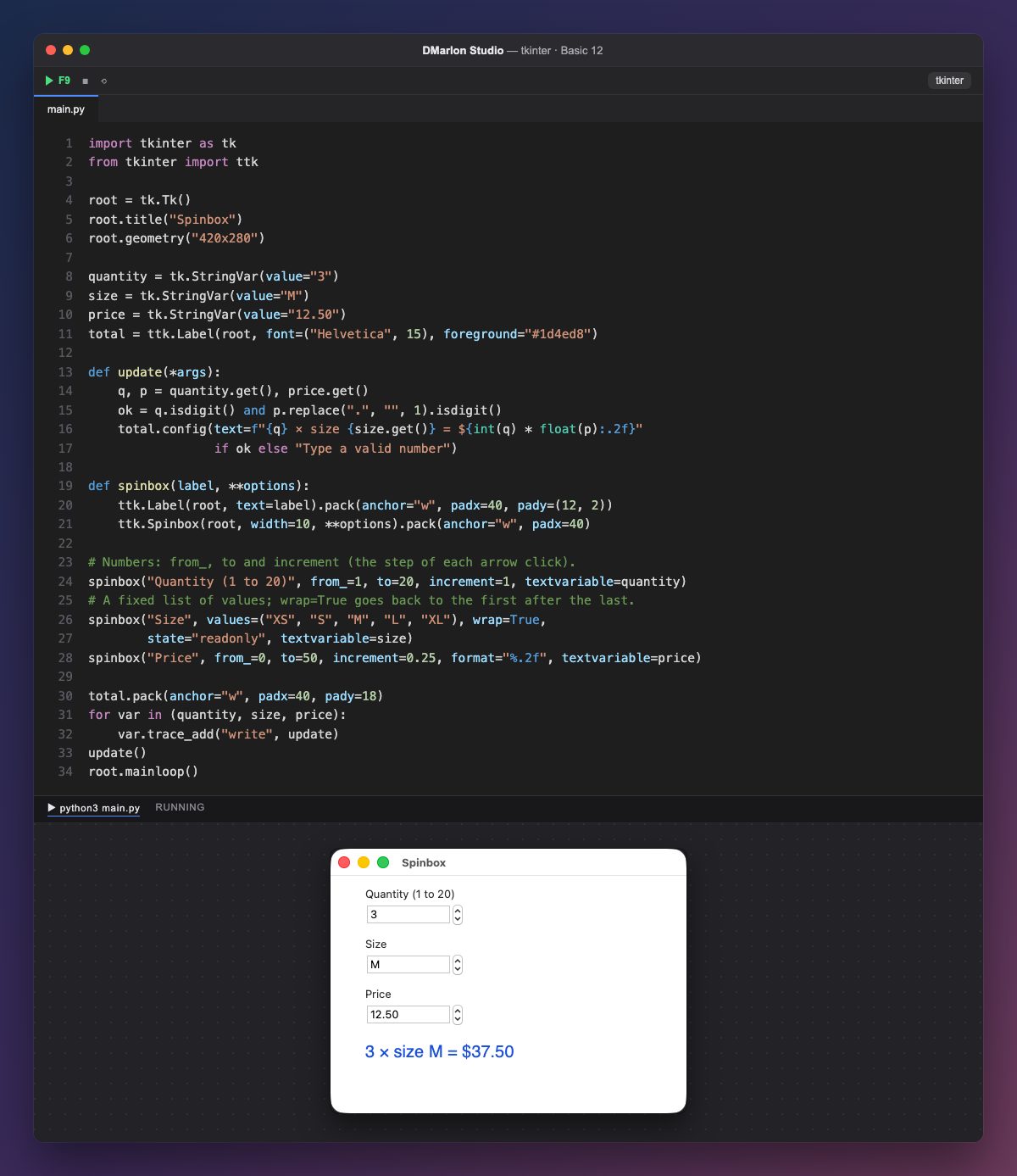
Un Spinbox es un campo con dos flechas que suben y bajan el valor. Se puede escribir en él, como en un Entry, o pulsar las flechas.
El de la cantidad es numérico: `from_=1`, `to=20` e `increment=1`, el paso de cada clic. El del precio va de 0,25 en 0,25, y `format="%.2f"` lo muestra siempre con dos decimales.
El de la talla usa `values`: una lista fija en vez de un rango. `wrap=True` hace que después de «XL» se vuelva a «XS», y state="readonly" impide escribir otra cosa.
Cada uno está unido a una StringVar con textvariable, y trace_add llama a update con cada cambio. update comprueba que haya números válidos (isdigit()) antes de convertirlos con int() y float(), y escribe el total; si no, pide un número válido.
La función spinbox evita repetir código: crea la etiqueta y el Spinbox, y le pasa con **options las opciones de cada uno. El Spinbox no está en la paleta de DMarlon Studio, pero se puede añadir a mano en la pestaña Código del estudio.
Código · main.py
import tkinter as tkfrom tkinter import ttkroot = tk.Tk()root.title("Spinbox")root.geometry("420x280")quantity = tk.StringVar(value="3")size = tk.StringVar(value="M")price = tk.StringVar(value="12.50")total = ttk.Label(root, font=("Helvetica", 15), foreground="#1d4ed8")def update(*args): q, p = quantity.get(), price.get() ok = q.isdigit() and p.replace(".", "", 1).isdigit() total.config(text=f"{q} × size {size.get()} = ${int(q) * float(p):.2f}" if ok else "Type a valid number")def spinbox(label, **options): ttk.Label(root, text=label).pack(anchor="w", padx=40, pady=(12, 2)) ttk.Spinbox(root, width=10, **options).pack(anchor="w", padx=40)# Numbers: from_, to and increment (the step of each arrow click).spinbox("Quantity (1 to 20)", from_=1, to=20, increment=1, textvariable=quantity)# A fixed list of values; wrap=True goes back to the first after the last.spinbox("Size", values=("XS", "S", "M", "L", "XL"), wrap=True, state="readonly", textvariable=size)spinbox("Price", from_=0, to=50, increment=0.25, format="%.2f", textvariable=price)total.pack(anchor="w", padx=40, pady=18)for var in (quantity, size, price): var.trace_add("write", update)update()root.mainloop()Para recordar
from_,toeincrementdefinen un rango numérico.valuesda una lista fija;wrap=Truela recorre en círculo.formatfija cómo se escribe el número.- Lo escrito a mano puede no ser un número: compruébelo antes de usarlo.
Ejercicio
Añada un Spinbox «Discount %» de 0 a 50 con paso 5 y aplique ese descuento al total.