Lesson 11 · 11 of 20
Sliders · tkinter
Pick numbers by dragging with tkinter's Scale: horizontal and vertical, with a title, range, step and visible value, plus ttk.Scale.
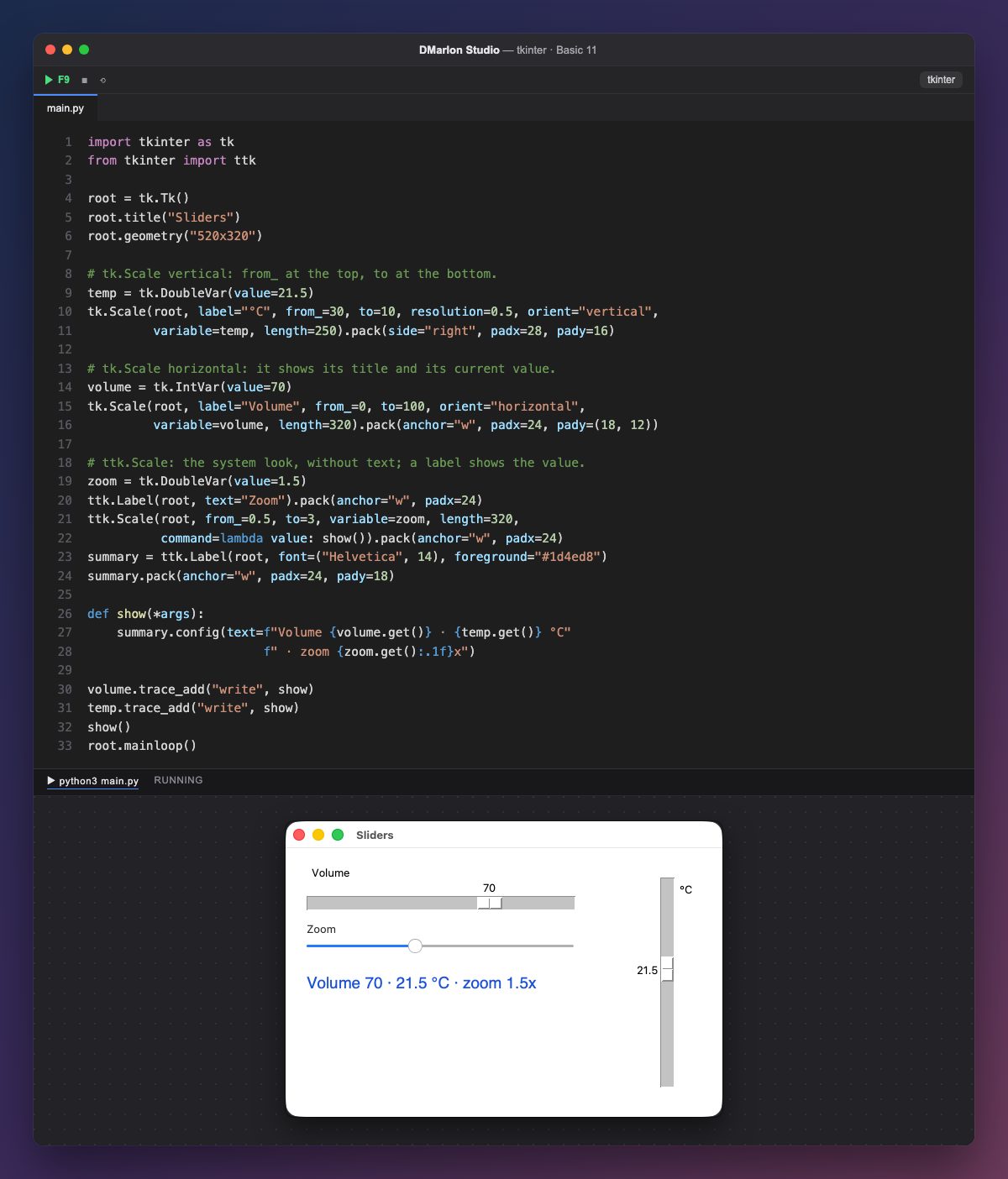
A slider (Scale) picks a number between two limits as you drag its handle. tk.Scale shows its title (label) and, above the handle, the current value.
The vertical one goes from `from_=30` at the top to `to=10` at the bottom (from_ has an underscore because from is a Python keyword). `resolution=0.5` is the step: the value moves half a degree at a time, and length is its length in pixels. It is packed first, with pack(side="right"), so it takes the right-hand edge.
Each slider is bound to a variable with variable=: IntVar(value=70) and DoubleVar(value=21.5) decide where the handle starts. Just like with StringVar, volume.get() reads the value and set() moves the handle.
`ttk.Scale` has the system look, but it shows no text and its value is always a float. That is why a label shows the zoom with one decimal (:.1f); its command receives the new value on every move. The other two report changes with trace_add.
In DMarlon Studio this is the Slider in the palette: its title, limits, step, value, orientation and whether the value is shown are set in the inspector, and the studio writes it as a tk.Scale bound to a DoubleVar.
Code · main.py
import tkinter as tkfrom tkinter import ttkroot = tk.Tk()root.title("Sliders")root.geometry("520x320")# tk.Scale vertical: from_ at the top, to at the bottom.temp = tk.DoubleVar(value=21.5)tk.Scale(root, label="°C", from_=30, to=10, resolution=0.5, orient="vertical", variable=temp, length=250).pack(side="right", padx=28, pady=16)# tk.Scale horizontal: it shows its title and its current value.volume = tk.IntVar(value=70)tk.Scale(root, label="Volume", from_=0, to=100, orient="horizontal", variable=volume, length=320).pack(anchor="w", padx=24, pady=(18, 12))# ttk.Scale: the system look, without text; a label shows the value.zoom = tk.DoubleVar(value=1.5)ttk.Label(root, text="Zoom").pack(anchor="w", padx=24)ttk.Scale(root, from_=0.5, to=3, variable=zoom, length=320, command=lambda value: show()).pack(anchor="w", padx=24)summary = ttk.Label(root, font=("Helvetica", 14), foreground="#1d4ed8")summary.pack(anchor="w", padx=24, pady=18)def show(*args): summary.config(text=f"Volume {volume.get()} · {temp.get()} °C" f" · zoom {zoom.get():.1f}x")volume.trace_add("write", show)temp.trace_add("write", show)show()root.mainloop()Key points
from_andtoare the limits;resolutionis the step.orientis"horizontal"or"vertical".- The bound variable decides where the handle starts.
ttk.Scaledoes not show its value: display it with a label.
Exercise
Add a «Brightness» slider from 0 to 10 with a step of 2 and show its value in the summary.