Lesson 3 · 3 of 20
Buttons and their action · tkinter
A tkinter button with command: every click calls a function that updates a counter. Plus disabled buttons with state.
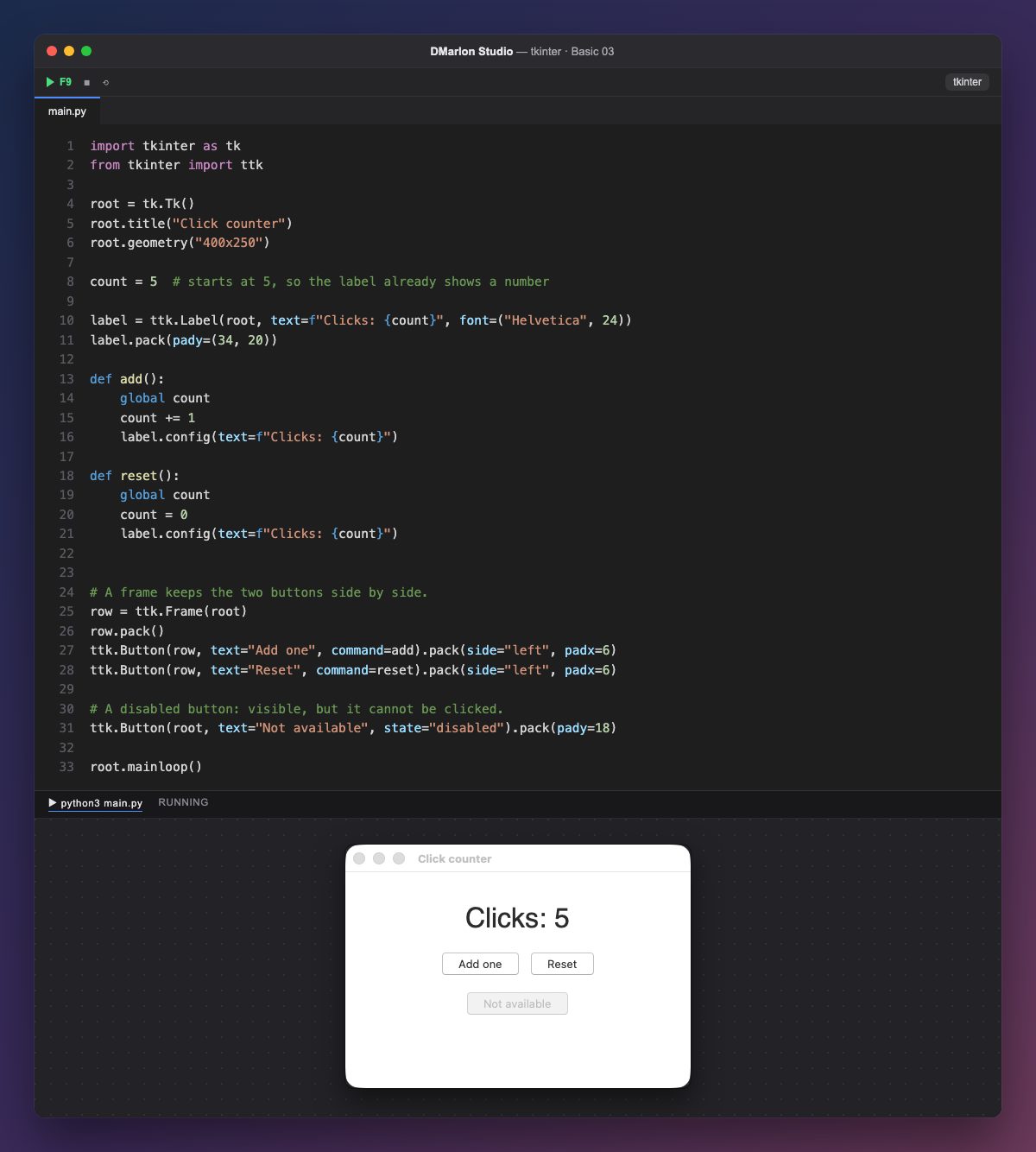
count = 5 stores the number of clicks. It starts at 5 so the label already shows a value when the window opens: text=f"Clicks: {count}".
A button (ttk.Button) has its text and, in `command`, the function to run when it is pressed. You pass the function's name, add, without parentheses: add() would call it just once, while creating the button, and never on a click.
add() adds one and changes the text with `label.config(text=...)`: config (or configure) changes any option of a widget that already exists. global count is needed because the function changes a variable defined outside it. reset() sets it back to zero.
The two buttons live inside a ttk.Frame and are placed with pack(side="left"), side by side (frames and pack get their own lessons later). The last one has `state="disabled"`: it is greyed out and does not respond.
In DMarlon Studio this is the Button in the palette. In the inspector you assign its *On press* event, and the studio writes the method that command points to; you only fill in what it does.
Code · main.py
import tkinter as tkfrom tkinter import ttkroot = tk.Tk()root.title("Click counter")root.geometry("400x250")count = 5 # starts at 5, so the label already shows a numberlabel = ttk.Label(root, text=f"Clicks: {count}", font=("Helvetica", 24))label.pack(pady=(34, 20))def add(): global count count += 1 label.config(text=f"Clicks: {count}")def reset(): global count count = 0 label.config(text=f"Clicks: {count}")# A frame keeps the two buttons side by side.row = ttk.Frame(root)row.pack()ttk.Button(row, text="Add one", command=add).pack(side="left", padx=6)ttk.Button(row, text="Reset", command=reset).pack(side="left", padx=6)# A disabled button: visible, but it cannot be clicked.ttk.Button(root, text="Not available", state="disabled").pack(pady=18)root.mainloop()Key points
commandtakes the function, without parentheses.config(text=...)changes a widget that already exists.state="disabled"disables a button;"normal"enables it again.globallets a function change a variable defined outside it.
Exercise
Add a «Subtract one» button that takes one from the counter without letting it go below zero.