Lesson 17 · 17 of 20
Scrollbars · tkinter
A ttk.Scrollbar connected to a tkinter Listbox and Text: yview, xview and yscrollcommand, both vertical and horizontal.
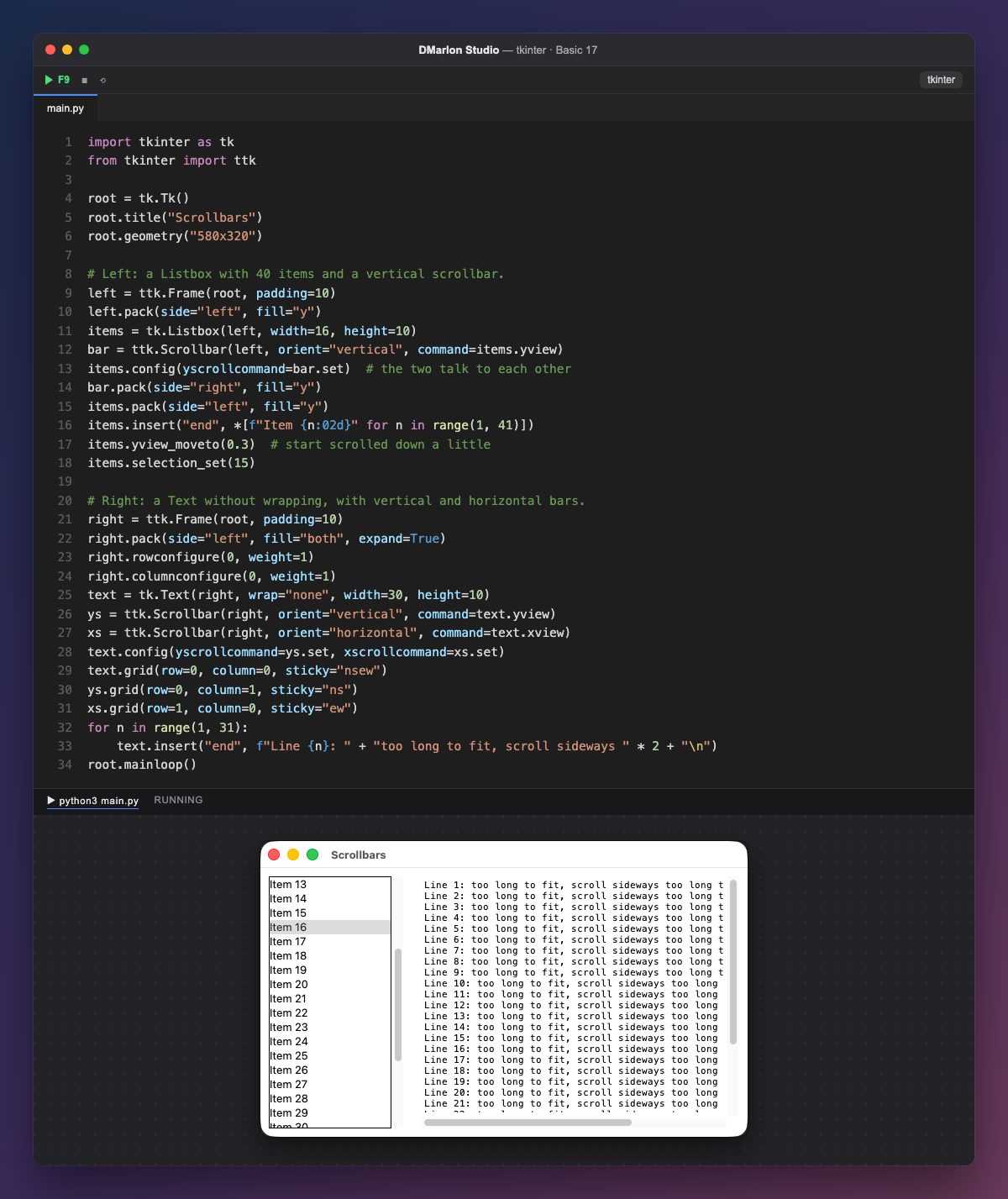
A scrollbar (ttk.Scrollbar) does not move on its own: it has to be connected to its widget both ways. `command=items.yview` makes the list scroll when you drag the bar.
`items.config(yscrollcommand=bar.set)` is the other way round: when the list scrolls (with the mouse wheel, for example), it tells the bar to move its thumb. Without this line, the bar would not know where the list is.
The bar is packed before the list, with side="right", so its place is guaranteed. The list has 40 items and they do not fit: yview_moveto(0.3) scrolls it to 30 % at start-up, and selection_set(15) selects «Item 16».
The Text has wrap="none", so long lines are not broken and a horizontal bar is needed (orient="horizontal", with xview and xscrollcommand). The three pieces are placed with grid: the text in cell (0, 0), the vertical bar to its right and the horizontal one below; the weights make the text grow.
The scrollbar is not in the DMarlon Studio palette; you can add it by hand in the Code tab, connected to a List or a Long text on the form.
Code · main.py
import tkinter as tkfrom tkinter import ttkroot = tk.Tk()root.title("Scrollbars")root.geometry("580x320")# Left: a Listbox with 40 items and a vertical scrollbar.left = ttk.Frame(root, padding=10)left.pack(side="left", fill="y")items = tk.Listbox(left, width=16, height=10)bar = ttk.Scrollbar(left, orient="vertical", command=items.yview)items.config(yscrollcommand=bar.set) # the two talk to each otherbar.pack(side="right", fill="y")items.pack(side="left", fill="y")items.insert("end", *[f"Item {n:02d}" for n in range(1, 41)])items.yview_moveto(0.3) # start scrolled down a littleitems.selection_set(15)# Right: a Text without wrapping, with vertical and horizontal bars.right = ttk.Frame(root, padding=10)right.pack(side="left", fill="both", expand=True)right.rowconfigure(0, weight=1)right.columnconfigure(0, weight=1)text = tk.Text(right, wrap="none", width=30, height=10)ys = ttk.Scrollbar(right, orient="vertical", command=text.yview)xs = ttk.Scrollbar(right, orient="horizontal", command=text.xview)text.config(yscrollcommand=ys.set, xscrollcommand=xs.set)text.grid(row=0, column=0, sticky="nsew")ys.grid(row=0, column=1, sticky="ns")xs.grid(row=1, column=0, sticky="ew")for n in range(1, 31): text.insert("end", f"Line {n}: " + "too long to fit, scroll sideways " * 2 + "\n")root.mainloop()Key points
command=widget.yviewscrolls the widget when you drag the bar.yscrollcommand=bar.setmoves the bar when the widget scrolls.- For a horizontal bar:
orient="horizontal",xviewandxscrollcommand. yview_moveto(fraction)scrolls from code.
Exercise
Add a horizontal bar to the list and give it items longer than its width to check that it works.