Lesson 6 · 6 of 20
Multi-line text · tkinter
The tkinter Text widget: several lines, word wrapping, tags for bold and colours, and positions written as line.column.
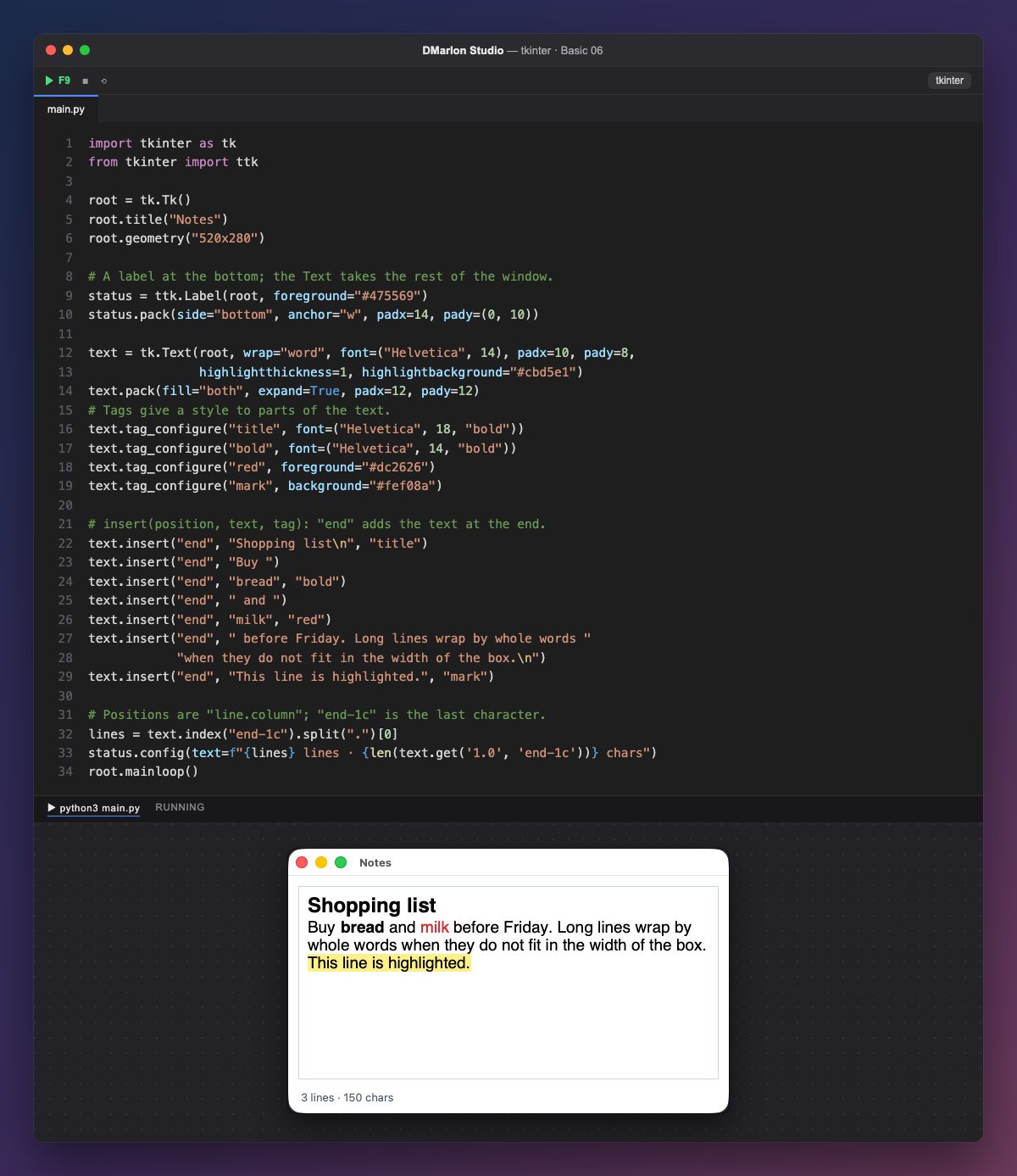
tk.Text is a box for multi-line text (there is no ttk version). wrap="word" breaks long lines between words; padx and pady add inner padding, and highlightthickness with highlightbackground draw a thin border.
The status label is placed first, with pack(side="bottom"), so its place at the bottom is reserved; then the text takes the rest with fill="both", expand=True.
Tags give a style to parts of the text. tag_configure("bold", font=...) defines how the bold tag looks; red changes the colour with foreground, and mark the background with background.
`insert(position, text, tag)` adds text: "end" is the end, and the third argument applies the tag to that piece. That is how «bread» comes out in bold and «milk» in red. Line breaks are written \n.
Positions look like "line.column": "1.0" is the first character and "end-1c" the last one (the end minus one character, because Text always adds a final newline). text.get("1.0", "end-1c") returns all the text. In DMarlon Studio this is the Long text in the palette: you set its initial text and line wrap in the inspector.
Code · main.py
import tkinter as tkfrom tkinter import ttkroot = tk.Tk()root.title("Notes")root.geometry("520x280")# A label at the bottom; the Text takes the rest of the window.status = ttk.Label(root, foreground="#475569")status.pack(side="bottom", anchor="w", padx=14, pady=(0, 10))text = tk.Text(root, wrap="word", font=("Helvetica", 14), padx=10, pady=8, highlightthickness=1, highlightbackground="#cbd5e1")text.pack(fill="both", expand=True, padx=12, pady=12)# Tags give a style to parts of the text.text.tag_configure("title", font=("Helvetica", 18, "bold"))text.tag_configure("bold", font=("Helvetica", 14, "bold"))text.tag_configure("red", foreground="#dc2626")text.tag_configure("mark", background="#fef08a")# insert(position, text, tag): "end" adds the text at the end.text.insert("end", "Shopping list\n", "title")text.insert("end", "Buy ")text.insert("end", "bread", "bold")text.insert("end", " and ")text.insert("end", "milk", "red")text.insert("end", " before Friday. Long lines wrap by whole words " "when they do not fit in the width of the box.\n")text.insert("end", "This line is highlighted.", "mark")# Positions are "line.column"; "end-1c" is the last character.lines = text.index("end-1c").split(".")[0]status.config(text=f"{lines} lines · {len(text.get('1.0', 'end-1c'))} chars")root.mainloop()Key points
tk.Textedits several lines;wrapdecides how they break.- Tags give a font and colours to part of the text.
insert("end", text, tag)adds styled text.- Positions are
"line.column"; lines start at 1 and columns at 0.
Exercise
Create an italic tag with an italic font ("italic") and add a final line in italics and green.