Lesson 19 · 19 of 20
ttk styles and themes · tkinter
Change how ttk widgets look with ttk.Style: themes, configure() for a style, custom styles such as Accent.TButton, and map().
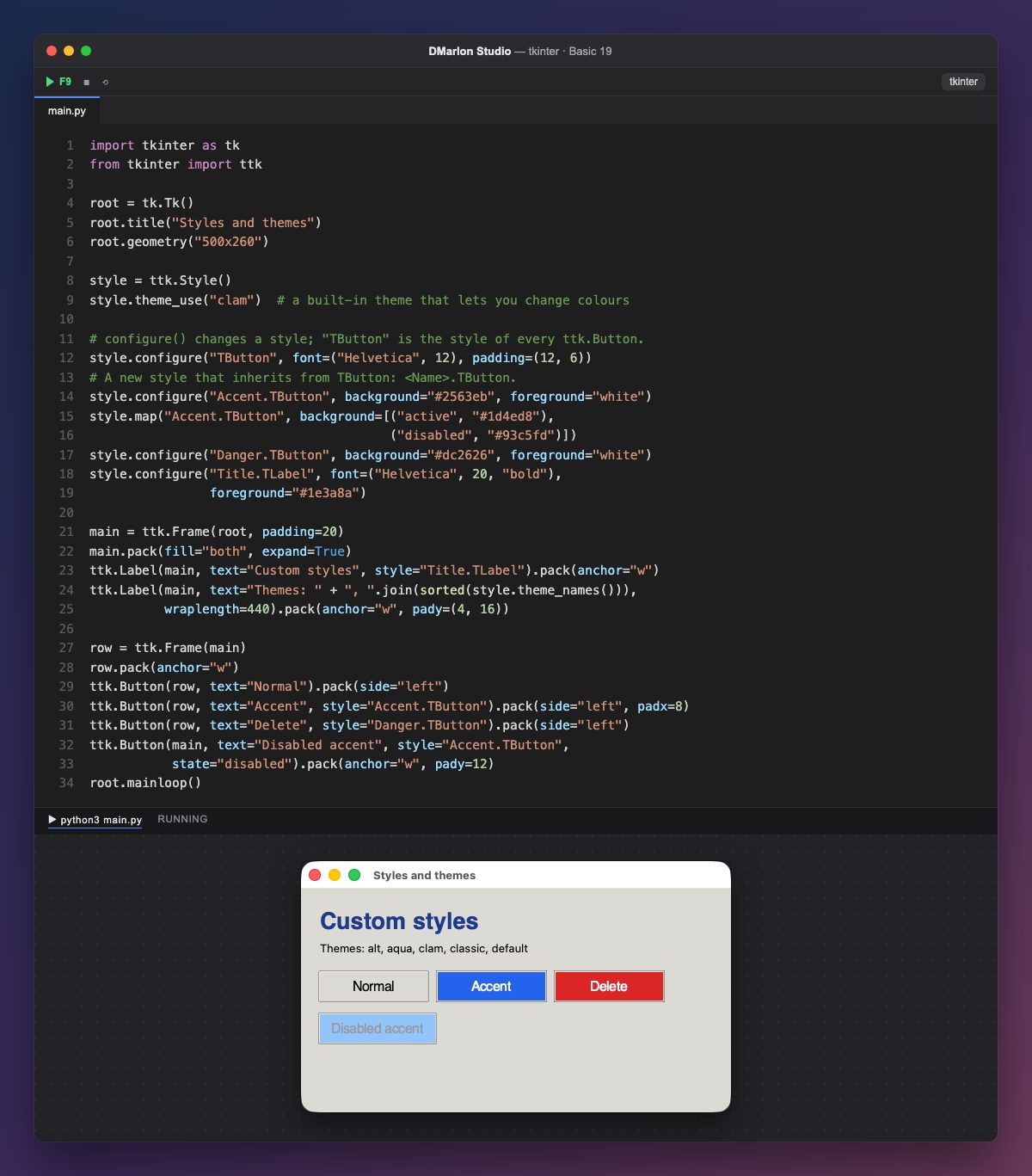
ttk widgets are drawn with a theme. ttk.Style() gives access to the styles, and theme_names() lists the installed themes: on macOS, aqua (the system one), clam, alt, default and classic. `theme_use("clam")` switches to one that lets you change the colours of everything, which aqua does not.
Every widget class has its style: TButton for ttk.Button, TLabel for ttk.Label, TEntry for ttk.Entry… `style.configure("TButton", ...)` changes every button at once: here, the font and the padding.
A custom style is named Name.TButton and inherits everything from TButton. Accent.TButton sets a blue background and white text, and it only applies to buttons with style="Accent.TButton". Danger.TButton does the same in red, and Title.TLabel is a heading style for labels.
`style.map` sets values by state: ("active", "#1d4ed8") darkens the blue while the mouse is over it, and ("disabled", "#93c5fd") lightens it when the button is disabled, like the last one.
The grey background is clam's: everything goes inside a ttk.Frame so the whole window takes it. Styles are not set from the DMarlon Studio palette, but you can write them in the Code tab, before the widgets are created.
Code · main.py
import tkinter as tkfrom tkinter import ttkroot = tk.Tk()root.title("Styles and themes")root.geometry("500x260")style = ttk.Style()style.theme_use("clam") # a built-in theme that lets you change colours# configure() changes a style; "TButton" is the style of every ttk.Button.style.configure("TButton", font=("Helvetica", 12), padding=(12, 6))# A new style that inherits from TButton: <Name>.TButton.style.configure("Accent.TButton", background="#2563eb", foreground="white")style.map("Accent.TButton", background=[("active", "#1d4ed8"), ("disabled", "#93c5fd")])style.configure("Danger.TButton", background="#dc2626", foreground="white")style.configure("Title.TLabel", font=("Helvetica", 20, "bold"), foreground="#1e3a8a")main = ttk.Frame(root, padding=20)main.pack(fill="both", expand=True)ttk.Label(main, text="Custom styles", style="Title.TLabel").pack(anchor="w")ttk.Label(main, text="Themes: " + ", ".join(sorted(style.theme_names())), wraplength=440).pack(anchor="w", pady=(4, 16))row = ttk.Frame(main)row.pack(anchor="w")ttk.Button(row, text="Normal").pack(side="left")ttk.Button(row, text="Accent", style="Accent.TButton").pack(side="left", padx=8)ttk.Button(row, text="Delete", style="Danger.TButton").pack(side="left")ttk.Button(main, text="Disabled accent", style="Accent.TButton", state="disabled").pack(anchor="w", pady=12)root.mainloop()Key points
theme_use()changes the theme of everyttkwidget.configure("TButton", ...)changes every button.Name.TButtonis a custom style that inherits fromTButton.map()sets different values by state:active,disabled…
Exercise
Create a Big.TLabel style with a 16-point green font and use it for the themes label.