Lesson 19 · 19 of 20
Writing and reading files · Dart
Save and read text files in Dart with the File class from dart:io: writeAsStringSync, FileMode.append, readAsStringSync and readAsLinesSync.
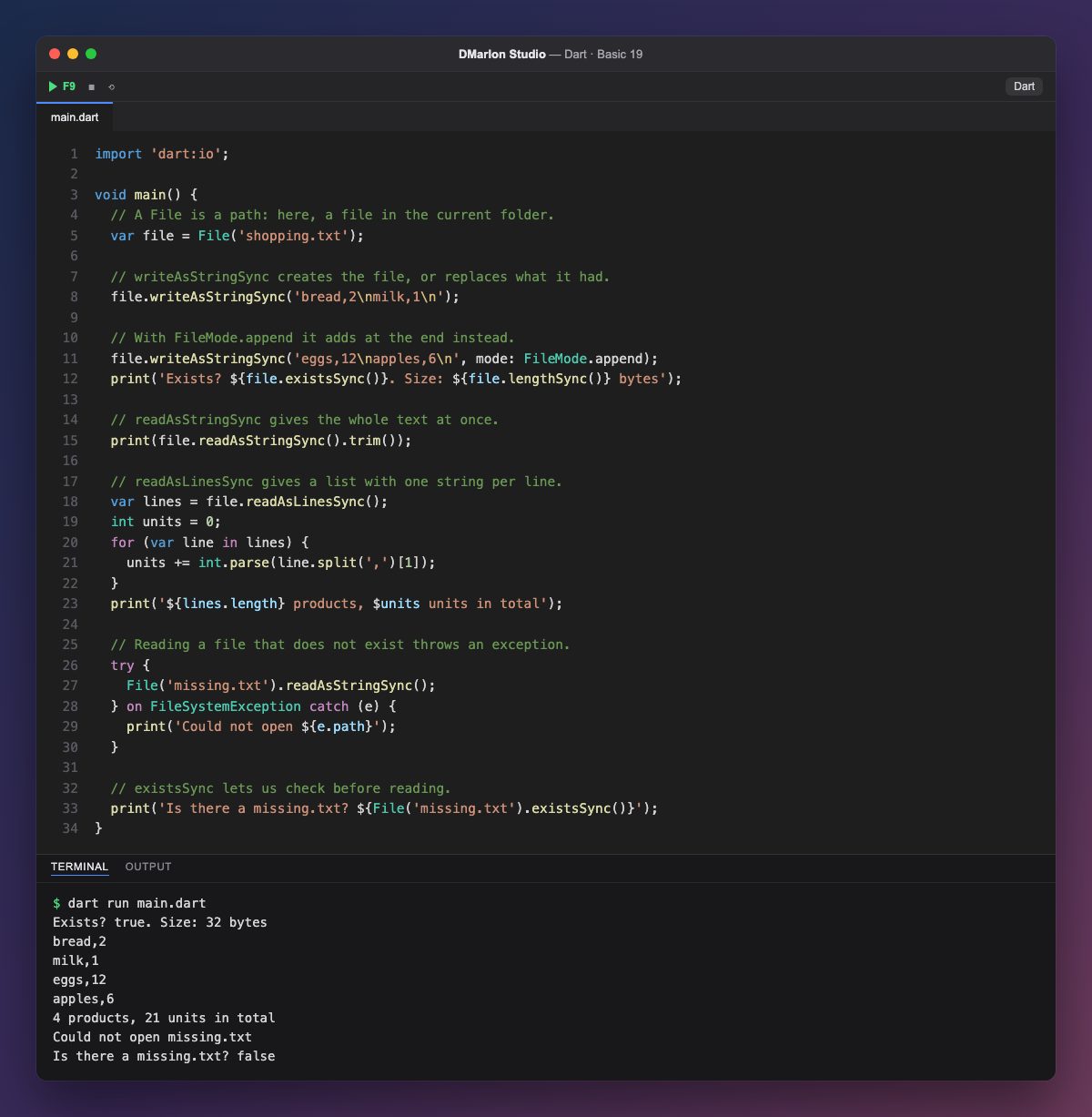
The `File` class from dart:io stands for a file given its path. File('shopping.txt') is a file in the current folder, the one the program runs from; creating the object does not touch the disk yet.
`writeAsStringSync()` writes the text into the file: if it does not exist it creates it and, if it does, it replaces what was there. Each \n is a line break. With the named argument `mode: FileMode.append`, on the other hand, it adds at the end without deleting anything, so the shopping list ends up with four products. existsSync() and lengthSync() confirm the file is there and how many bytes it takes up.
`readAsStringSync()` reads the whole file as one string, and trim() removes the final line break. `readAsLinesSync()` gives it already split into a list, one string per line, which is the handy way to turn the text back into data: split(',') separates product and quantity, and int.parse adds up the units.
Reading a file that does not exist throws a `FileSystemException`, handled with try and on as in the previous lesson; its path tells you which file it was. If you would rather not reach the error, `existsSync()` checks first.
The `Sync` ending means the program waits for each operation to finish. Dart also has versions without Sync, which do not wait and are used with await; in a Flutter app those are the usual ones, so the screen does not freeze.
Code · main.dart
import 'dart:io';void main() { // A File is a path: here, a file in the current folder. var file = File('shopping.txt'); // writeAsStringSync creates the file, or replaces what it had. file.writeAsStringSync('bread,2\nmilk,1\n'); // With FileMode.append it adds at the end instead. file.writeAsStringSync('eggs,12\napples,6\n', mode: FileMode.append); print('Exists? ${file.existsSync()}. Size: ${file.lengthSync()} bytes'); // readAsStringSync gives the whole text at once. print(file.readAsStringSync().trim()); // readAsLinesSync gives a list with one string per line. var lines = file.readAsLinesSync(); int units = 0; for (var line in lines) { units += int.parse(line.split(',')[1]); } print('${lines.length} products, $units units in total'); // Reading a file that does not exist throws an exception. try { File('missing.txt').readAsStringSync(); } on FileSystemException catch (e) { print('Could not open ${e.path}'); } // existsSync lets us check before reading. print('Is there a missing.txt? ${File('missing.txt').existsSync()}');}Output · dart run main.dart
Exists? true. Size: 32 bytes
bread,2
milk,1
eggs,12
apples,6
4 products, 21 units in total
Could not open missing.txt
Is there a missing.txt? false
Key points
File('name.txt')is a file in the current folder.writeAsStringSynccreates or replaces the file.mode: FileMode.appendadds at the end.readAsStringSyncgives all of it;readAsLinesSync, line by line.- A missing file throws
FileSystemException.
Exercise
Write three exam marks to marks.txt, one per line, add a fourth with FileMode.append, then read the file back and print the average.