Lesson 1 · 1 of 20
Hello, world · Dart
Your first Dart program: the main() function, print() for text and numbers, single or double quotes, and the semicolon.
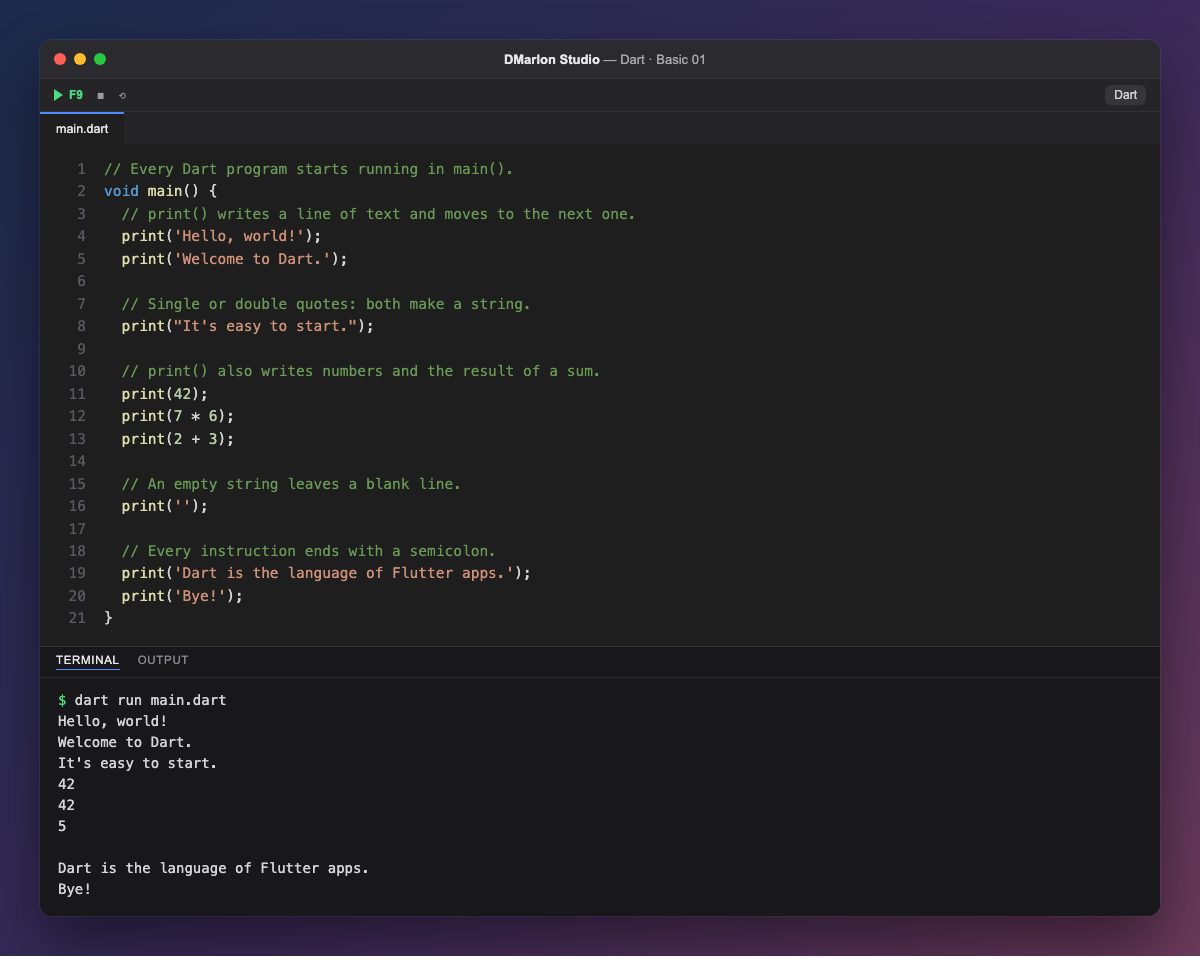
Every Dart program starts running in the `main()` function. void main() { ... } says that main returns nothing (void), and the statements between the braces run from top to bottom. Anything after // is a comment: Dart ignores it, it is there for whoever reads the code.
`print()` writes whatever you give it and moves on to the next line. Text is a string (String) and goes between quotes: 'Hello, world!'. Dart accepts single and double quotes; double quotes come in handy when the text has an apostrophe, as in "It's easy to start.".
print() also writes numbers and the result of a calculation: print(7 * 6) works out 7 * 6 first and writes 42. Notice that print(42) and print(7 * 6) produce the same line in the output.
print('') writes an empty string, that is, a blank line. And every statement ends with a semicolon (;): if one is missing, Dart refuses to run the program and points at the line.
Dart is the language of Flutter apps, and in DMarlon Studio it powers the Flutter targets for mobile and desktop, which you design on the phone canvas. It all starts, as here, with a main().
Code · main.dart
// Every Dart program starts running in main().void main() { // print() writes a line of text and moves to the next one. print('Hello, world!'); print('Welcome to Dart.'); // Single or double quotes: both make a string. print("It's easy to start."); // print() also writes numbers and the result of a sum. print(42); print(7 * 6); print(2 + 3); // An empty string leaves a blank line. print(''); // Every instruction ends with a semicolon. print('Dart is the language of Flutter apps.'); print('Bye!');}Output · dart run main.dart
Hello, world!
Welcome to Dart.
It's easy to start.
42
42
5

Dart is the language of Flutter apps.
Bye!
Key points
- A program starts in
void main() { }. print()writes one line and moves to the next.- Strings go between single or double quotes.
- Every statement ends with
;. //starts a comment.
Exercise
Add three print() lines that write your name, your city and the number of days in a week multiplied by 4.