Lesson 5 · 5 of 20
Reading input · Dart
Read what the user types in Dart with stdin.readLineSync() from dart:io and turn it into numbers with int.parse, double.parse and int.tryParse.
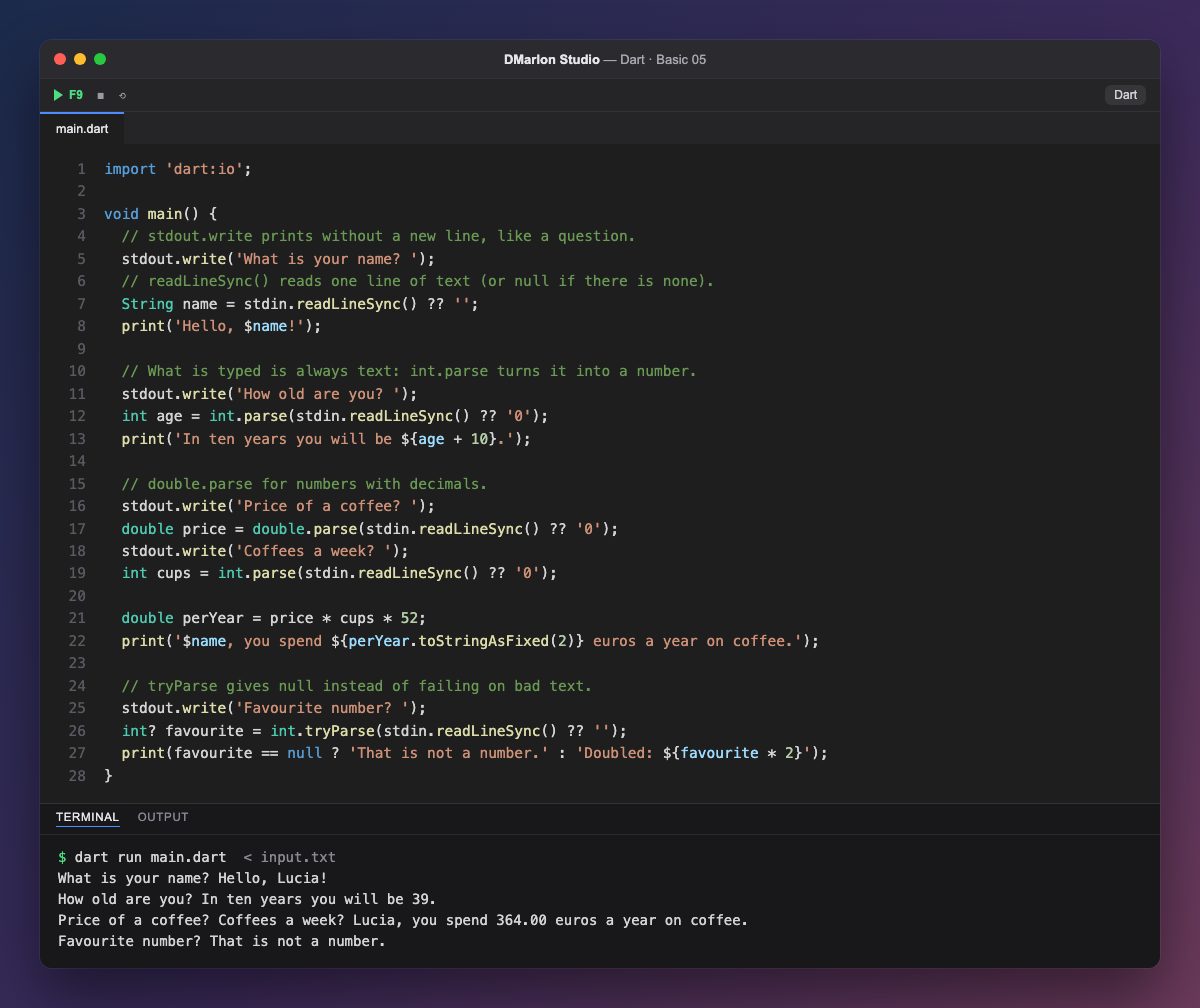
To read from the keyboard you import the `dart:io` library with import 'dart:io'; on the first line. It brings stdin (input) and stdout (output). `stdout.write()` writes like print() but without a line break, which is exactly what you want for a question.
`stdin.readLineSync()` waits for the user to type a line and press Enter, and returns it as text. If there is nothing left to read it returns null, which is why the code says stdin.readLineSync() ?? '': the ?? operator uses an empty string in that case. Lesson 15 explains null and ?? properly.
Whatever is typed is always text, even digits. `int.parse()` turns '29' into the integer 29, which you can then add to, and `double.parse()` does the same for numbers with decimals such as '1.40'. With them the program works out a year of coffee: price times cups times 52 weeks.
If the text is not a number, int.parse raises an error and the program stops. `int.tryParse()` is more careful: it returns null instead of failing. The int? type allows that null, and the conditional operator picks what to print: here seven is not a number.
When it runs, the typing comes from input.txt, one line per question. The answers do not appear in the output because they come from the file, not the screen; in DMarlon Studio you can type them yourself in the console.
Code · main.dart
import 'dart:io';void main() { // stdout.write prints without a new line, like a question. stdout.write('What is your name? '); // readLineSync() reads one line of text (or null if there is none). String name = stdin.readLineSync() ?? ''; print('Hello, $name!'); // What is typed is always text: int.parse turns it into a number. stdout.write('How old are you? '); int age = int.parse(stdin.readLineSync() ?? '0'); print('In ten years you will be ${age + 10}.'); // double.parse for numbers with decimals. stdout.write('Price of a coffee? '); double price = double.parse(stdin.readLineSync() ?? '0'); stdout.write('Coffees a week? '); int cups = int.parse(stdin.readLineSync() ?? '0'); double perYear = price * cups * 52; print('$name, you spend ${perYear.toStringAsFixed(2)} euros a year on coffee.'); // tryParse gives null instead of failing on bad text. stdout.write('Favourite number? '); int? favourite = int.tryParse(stdin.readLineSync() ?? ''); print(favourite == null ? 'That is not a number.' : 'Doubled: ${favourite * 2}');}Input (what gets typed) · input.txt
Lucia
29
1.40
5
seven
Output · dart run main.dart
What is your name? Hello, Lucia!
How old are you? In ten years you will be 39.
Price of a coffee? Coffees a week? Lucia, you spend 364.00 euros a year on coffee.
Favourite number? That is not a number.
Key points
import 'dart:io';bringsstdinandstdout.stdin.readLineSync()reads one line (ornull).stdout.write()writes without a line break.int.parseanddouble.parseturn text into numbers.int.tryParsereturnsnullinstead of failing.
Exercise
Ask for the width and length of a room in metres (with decimals) and print its area with two decimals.