Lesson 4 · 4 of 20
Strings and interpolation · Dart
Work with text in Dart: joining strings with +, interpolation with $ and ${}, characters by index, escapes, multi-line strings and the * operator.
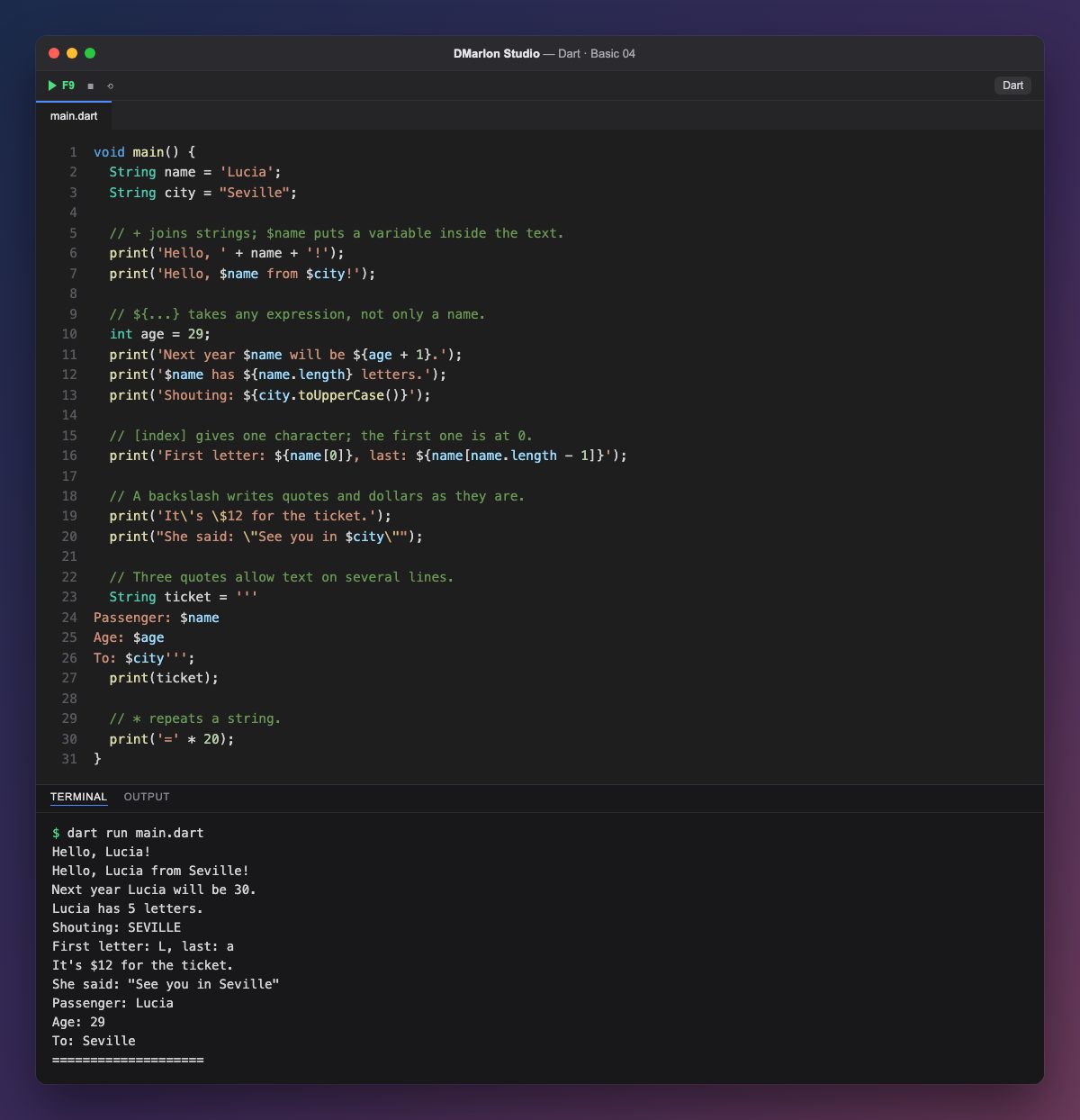
You can join strings with `+`, as in 'Hello, ' + name + '!', but the natural way in Dart is interpolation: 'Hello, $name from $city!' puts the values inside the text without breaking it up. It is shorter and easier to read.
`${...}` takes any expression: ${age + 1} does a sum, ${name.length} reads the length of the string and ${city.toUpperCase()} calls a method that turns it into capitals. A bare name only needs $; as soon as there is a dot or an operation, you need the braces.
A string is a sequence of characters and `[index]` gives one of them. The first is at position 0 and the last at name.length - 1, so name[0] is L and name[name.length - 1] is a.
The backslash writes characters that would otherwise mean something else: \' is an apostrophe inside single quotes and \$ is a dollar sign, not interpolation. Inside double quotes, \" writes a double quote.
With triple quotes (''') a string can span several lines, and interpolation still works: that is how the ticket is built. Finally, ***** repeats a string: '=' * 20 draws a line of twenty signs.
Code · main.dart
void main() { String name = 'Lucia'; String city = "Seville"; // + joins strings; $name puts a variable inside the text. print('Hello, ' + name + '!'); print('Hello, $name from $city!'); // ${...} takes any expression, not only a name. int age = 29; print('Next year $name will be ${age + 1}.'); print('$name has ${name.length} letters.'); print('Shouting: ${city.toUpperCase()}'); // [index] gives one character; the first one is at 0. print('First letter: ${name[0]}, last: ${name[name.length - 1]}'); // A backslash writes quotes and dollars as they are. print('It\'s \$12 for the ticket.'); print("She said: \"See you in $city\""); // Three quotes allow text on several lines. String ticket = '''Passenger: $nameAge: $ageTo: $city'''; print(ticket); // * repeats a string. print('=' * 20);}Output · dart run main.dart
Hello, Lucia!
Hello, Lucia from Seville!
Next year Lucia will be 30.
Lucia has 5 letters.
Shouting: SEVILLE
First letter: L, last: a
It's $12 for the ticket.
She said: "See you in Seville"
Passenger: Lucia
Age: 29
To: Seville
====================
Key points
'$name'and'${expression}'put values in the text.- Braces are needed when there is a dot or an operation.
text[0]is the first character;text.lengthsays how many there are.\',\"and\$write those characters literally.'''allows multi-line strings.
Exercise
Create product, units and price variables and print, with a single interpolated string, a line like 3 x notebook = 7.50 euros, working out the total inside ${}.