Lesson 6 · 6 of 20
Static members and Symbol · JavaScript
Use static in JavaScript for class-wide counters and factory methods, and Symbol for unique keys and custom object conversion.
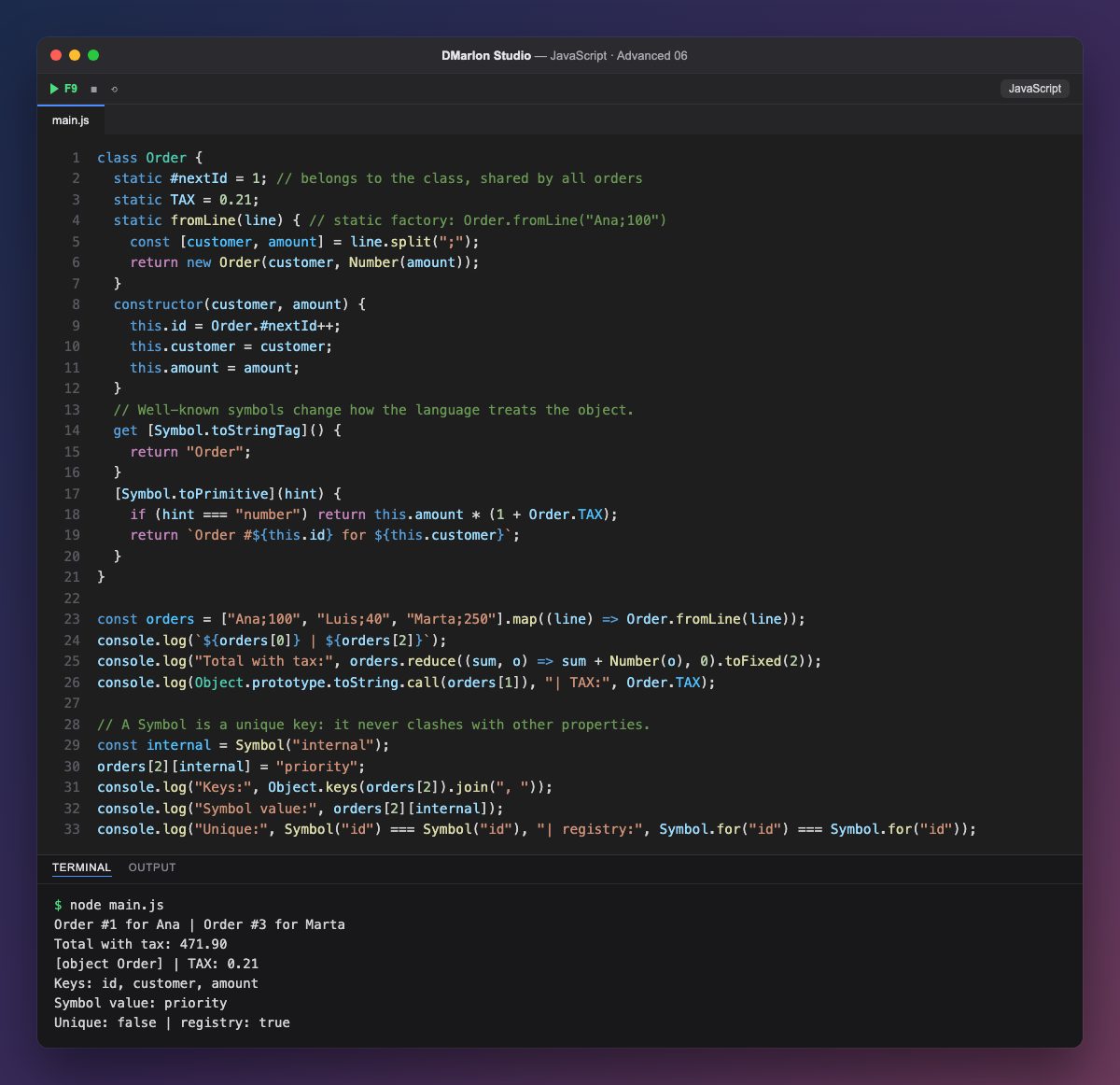
Anything marked `static` belongs to the class, not to each object. Order.TAX is a constant shared by every order, and static #nextId is a private class-level counter: each new Order reads and bumps it with Order.#nextId++, so the orders get 1, 2 and 3 with no repeats.
A static method is called on the class itself: Order.fromLine("Ana;100"). This is a very common pattern, the factory: it turns a line of text (from a CSV, say) into an order, splitting customer and amount with split.
A `Symbol` is a unique value that can be used as a property key. JavaScript defines a few well-known symbols that change how the language behaves: Symbol.toPrimitive decides what the object turns into (text inside a template literal, or the amount with tax in Number(o), which the sum uses for the total), and Symbol.toStringTag changes what Object.prototype.toString shows: [object Order].
You can also create your own symbols: orders[2][internal] stores a value that does not show up in Object.keys and cannot clash with any other property, because every symbol is different (Symbol("id") === Symbol("id") is false). Symbol.for("id"), on the other hand, uses a global registry and always returns the same one.
Code · main.js
class Order { static #nextId = 1; // belongs to the class, shared by all orders static TAX = 0.21; static fromLine(line) { // static factory: Order.fromLine("Ana;100") const [customer, amount] = line.split(";"); return new Order(customer, Number(amount)); } constructor(customer, amount) { this.id = Order.#nextId++; this.customer = customer; this.amount = amount; } // Well-known symbols change how the language treats the object. get [Symbol.toStringTag]() { return "Order"; } [Symbol.toPrimitive](hint) { if (hint === "number") return this.amount * (1 + Order.TAX); return `Order #${this.id} for ${this.customer}`; }}const orders = ["Ana;100", "Luis;40", "Marta;250"].map((line) => Order.fromLine(line));console.log(`${orders[0]} | ${orders[2]}`);console.log("Total with tax:", orders.reduce((sum, o) => sum + Number(o), 0).toFixed(2));console.log(Object.prototype.toString.call(orders[1]), "| TAX:", Order.TAX);// A Symbol is a unique key: it never clashes with other properties.const internal = Symbol("internal");orders[2][internal] = "priority";console.log("Keys:", Object.keys(orders[2]).join(", "));console.log("Symbol value:", orders[2][internal]);console.log("Unique:", Symbol("id") === Symbol("id"), "| registry:", Symbol.for("id") === Symbol.for("id"));Output · node main.js
Order #1 for Ana | Order #3 for Marta
Total with tax: 471.90
[object Order] | TAX: 0.21
Keys: id, customer, amount
Symbol value: priority
Unique: false | registry: true
Key points
staticmembers belong to the class and are used asClass.member.- A static factory method builds objects from other data.
- Every
Symbol()is unique, so it makes a key that never clashes. Symbol.toPrimitiveandSymbol.toStringTagchange how an object converts and displays.
Exercise
Add a static count() method to Order that returns how many orders have been created (based on #nextId), and use your own Symbol("notes") to attach a note to Luis's order.