Lesson 17 · 17 of 20
Regular expressions · JavaScript
Parse a log in JavaScript with regular expressions: named groups, test, matchAll, replace with a function and email validation.
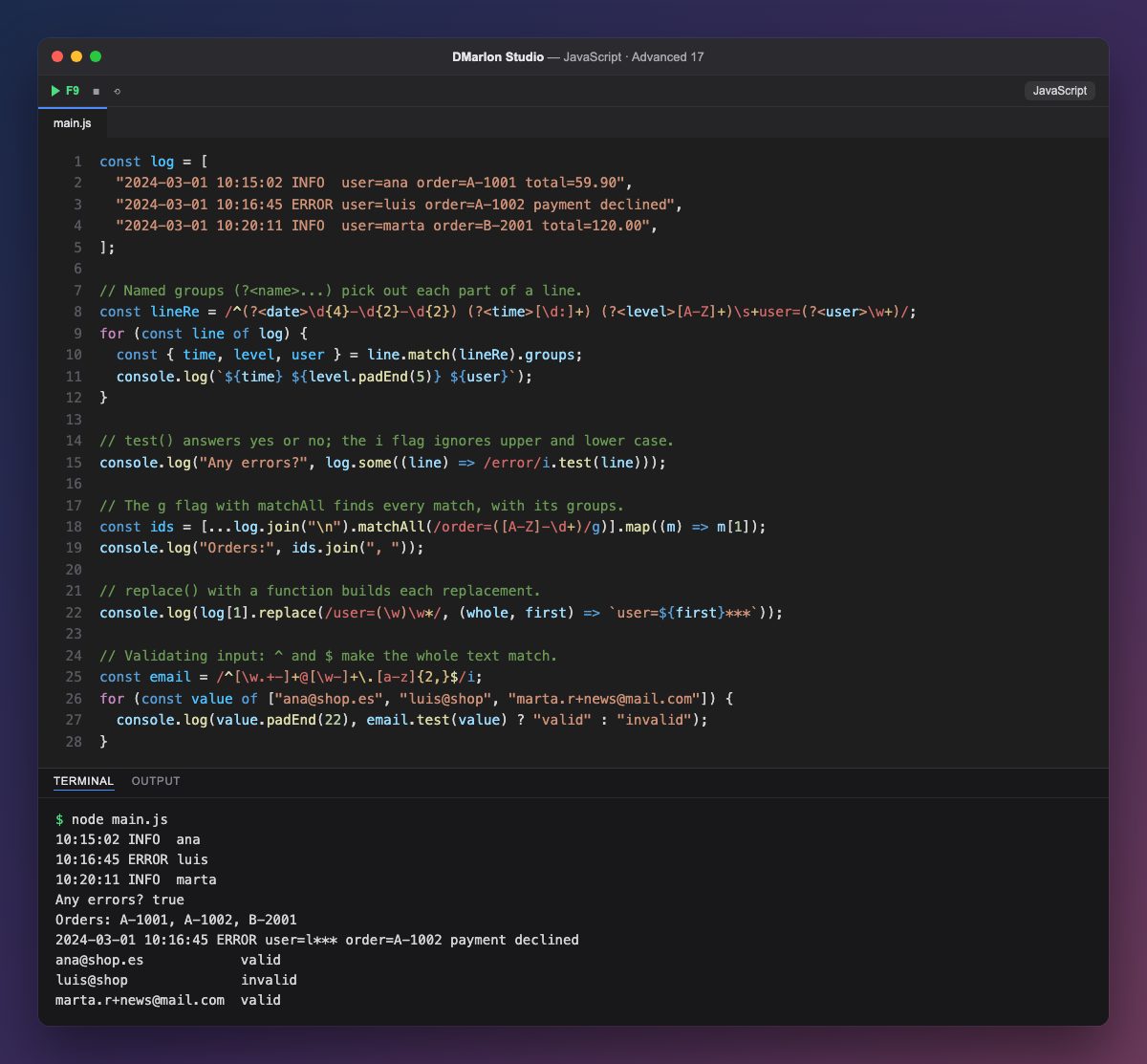
A regular expression describes a text pattern and is written between slashes, like /error/i. The example parses the lines of a log. In lineRe, ^ marks the start of the line, \d{4} means four digits, [A-Z]+ one or more capital letters, \s+ one or more spaces and \w+ a word.
Named groups (?<name>...) capture each piece: line.match(lineRe).groups returns an object with date, time, level and user, which is destructured on the spot. It is far more readable than counting positions or chaining split calls.
test() answers yes or no, and the `i` flag makes the match case-insensitive. With the `g` flag, matchAll walks through every match in a text, each with its groups: m[1] is what the first pair of parentheses captured, the order number.
replace() accepts a function that builds each replacement from what was captured: here it keeps the first letter of the user and masks the rest (user=l***). To validate input, ^ and $ force the whole text to match the pattern, which is why luis@shop, with no top-level domain, fails the email check.
Code · main.js
const log = [ "2024-03-01 10:15:02 INFO user=ana order=A-1001 total=59.90", "2024-03-01 10:16:45 ERROR user=luis order=A-1002 payment declined", "2024-03-01 10:20:11 INFO user=marta order=B-2001 total=120.00",];// Named groups (?<name>...) pick out each part of a line.const lineRe = /^(?<date>\d{4}-\d{2}-\d{2}) (?<time>[\d:]+) (?<level>[A-Z]+)\s+user=(?<user>\w+)/;for (const line of log) { const { time, level, user } = line.match(lineRe).groups; console.log(`${time} ${level.padEnd(5)} ${user}`);}// test() answers yes or no; the i flag ignores upper and lower case.console.log("Any errors?", log.some((line) => /error/i.test(line)));// The g flag with matchAll finds every match, with its groups.const ids = [...log.join("\n").matchAll(/order=([A-Z]-\d+)/g)].map((m) => m[1]);console.log("Orders:", ids.join(", "));// replace() with a function builds each replacement.console.log(log[1].replace(/user=(\w)\w*/, (whole, first) => `user=${first}***`));// Validating input: ^ and $ make the whole text match.const email = /^[\w.+-]+@[\w-]+\.[a-z]{2,}$/i;for (const value of ["ana@shop.es", "luis@shop", "marta.r+news@mail.com"]) { console.log(value.padEnd(22), email.test(value) ? "valid" : "invalid");}Output · node main.js
10:15:02 INFO  ana
10:16:45 ERROR luis
10:20:11 INFO  marta
Any errors? true
Orders: A-1001, A-1002, B-2001
2024-03-01 10:16:45 ERROR user=l*** order=A-1002 payment declined
ana@shop.es            valid
luis@shop              invalid
marta.r+news@mail.com  valid
Key points
(?<name>...)captures a named piece, available in.groups.test()tells you whether there is a match;iignores case.- With
g,matchAllreturns every match. replace()accepts a function to build each replacement.^and$anchor the pattern to the start and end of the text.
Exercise
Write a pattern with a named group total that pulls the amounts out of total=59.90 in the log, and add up all the orders with matchAll.