Lesson 19 · 19 of 20
Events with EventEmitter · JavaScript
Connect parts of a Node program with EventEmitter: emit, on, once, multiple listeners and the special error event.
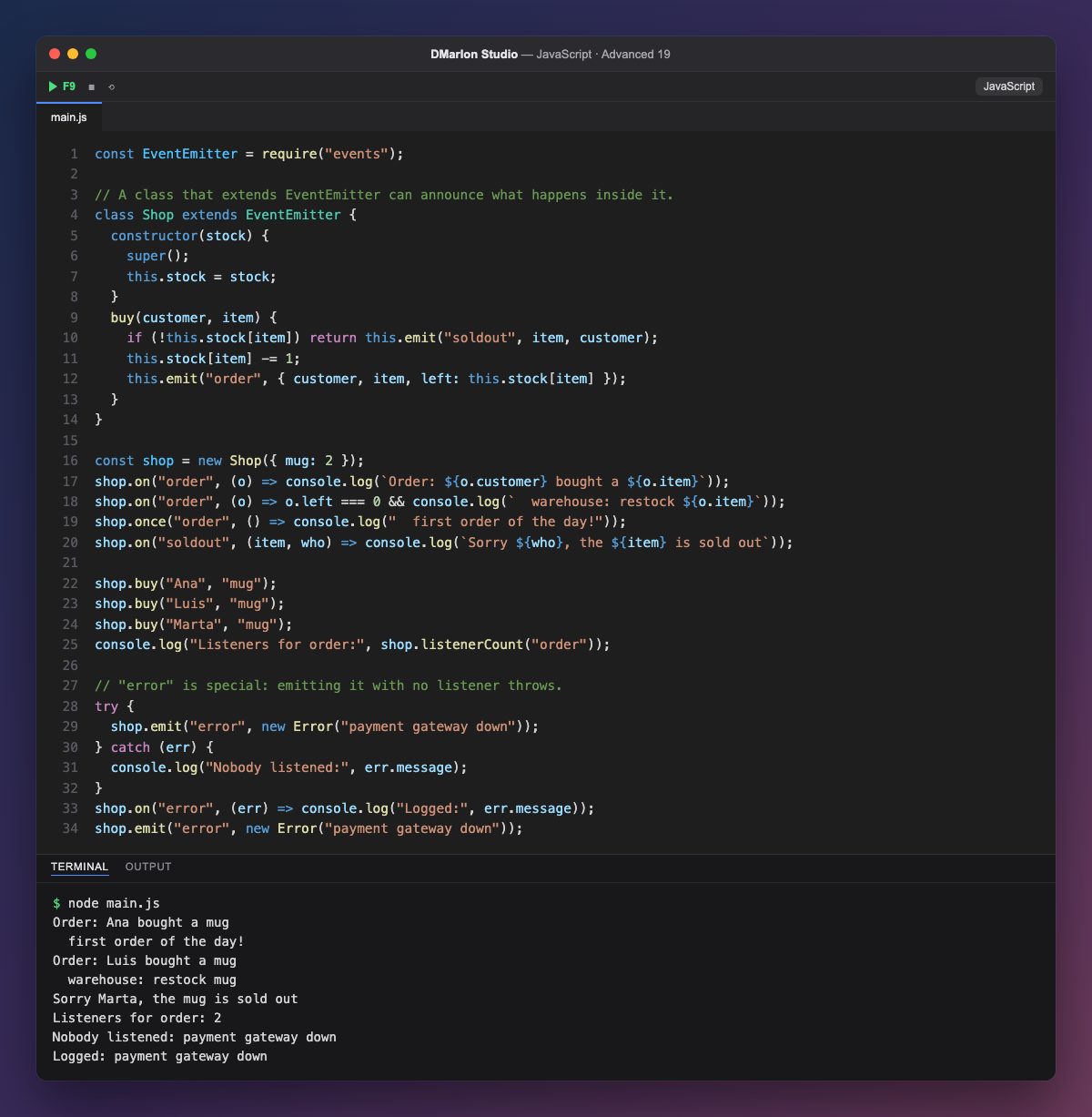
EventEmitter, from Node's events module, implements the publish/subscribe pattern: an object announces that something happened and whoever is interested reacts, without either side knowing the other. Shop extends EventEmitter and, in buy(), emits order when a sale goes through or soldout when stock runs out.
`on(event, fn)` registers a listener. One event can have several: one logs the order and another alerts the warehouse when left reaches zero. The arguments passed to `emit` (an object here; the item and the customer for soldout) reach every listener unchanged.
Listeners run synchronously and in the order they were registered, inside the emit call itself. `once` registers a listener that only runs the first time and then removes itself, which is why first order of the day! appears once and listenerCount("order") is 2 at the end.
The `error` event is special: if it is emitted and nobody is listening, Node throws the error, and if that is not caught, the program exits. So it is good practice to always register an error listener. This pattern is everywhere in Node (servers, streams, processes) and in Electron, one of DMarlon Studio's targets, where the window and the main process talk through events.
Code · main.js
const EventEmitter = require("events");// A class that extends EventEmitter can announce what happens inside it.class Shop extends EventEmitter { constructor(stock) { super(); this.stock = stock; } buy(customer, item) { if (!this.stock[item]) return this.emit("soldout", item, customer); this.stock[item] -= 1; this.emit("order", { customer, item, left: this.stock[item] }); }}const shop = new Shop({ mug: 2 });shop.on("order", (o) => console.log(`Order: ${o.customer} bought a ${o.item}`));shop.on("order", (o) => o.left === 0 && console.log(` warehouse: restock ${o.item}`));shop.once("order", () => console.log(" first order of the day!"));shop.on("soldout", (item, who) => console.log(`Sorry ${who}, the ${item} is sold out`));shop.buy("Ana", "mug");shop.buy("Luis", "mug");shop.buy("Marta", "mug");console.log("Listeners for order:", shop.listenerCount("order"));// "error" is special: emitting it with no listener throws.try { shop.emit("error", new Error("payment gateway down"));} catch (err) { console.log("Nobody listened:", err.message);}shop.on("error", (err) => console.log("Logged:", err.message));shop.emit("error", new Error("payment gateway down"));Output · node main.js
Order: Ana bought a mug
  first order of the day!
Order: Luis bought a mug
  warehouse: restock mug
Sorry Marta, the mug is sold out
Listeners for order: 2
Nobody listened: payment gateway down
Logged: payment gateway down
Key points
emitannounces an event with its data;onlistens for it.- Listeners run synchronously, in registration order.
oncelistens only the first time.- An
errorevent with no listener throws an exception.
Exercise
Add a lowstock event that fires when fewer than 2 units of an item are left, and use off with a named function to remove the warehouse listener after the first restock.