Lesson 17 · 17 of 20
Formatting output · C++
Line up columns and control decimals in C++ with setw, left, right, setfill, fixed and setprecision from <iomanip>: a café menu.
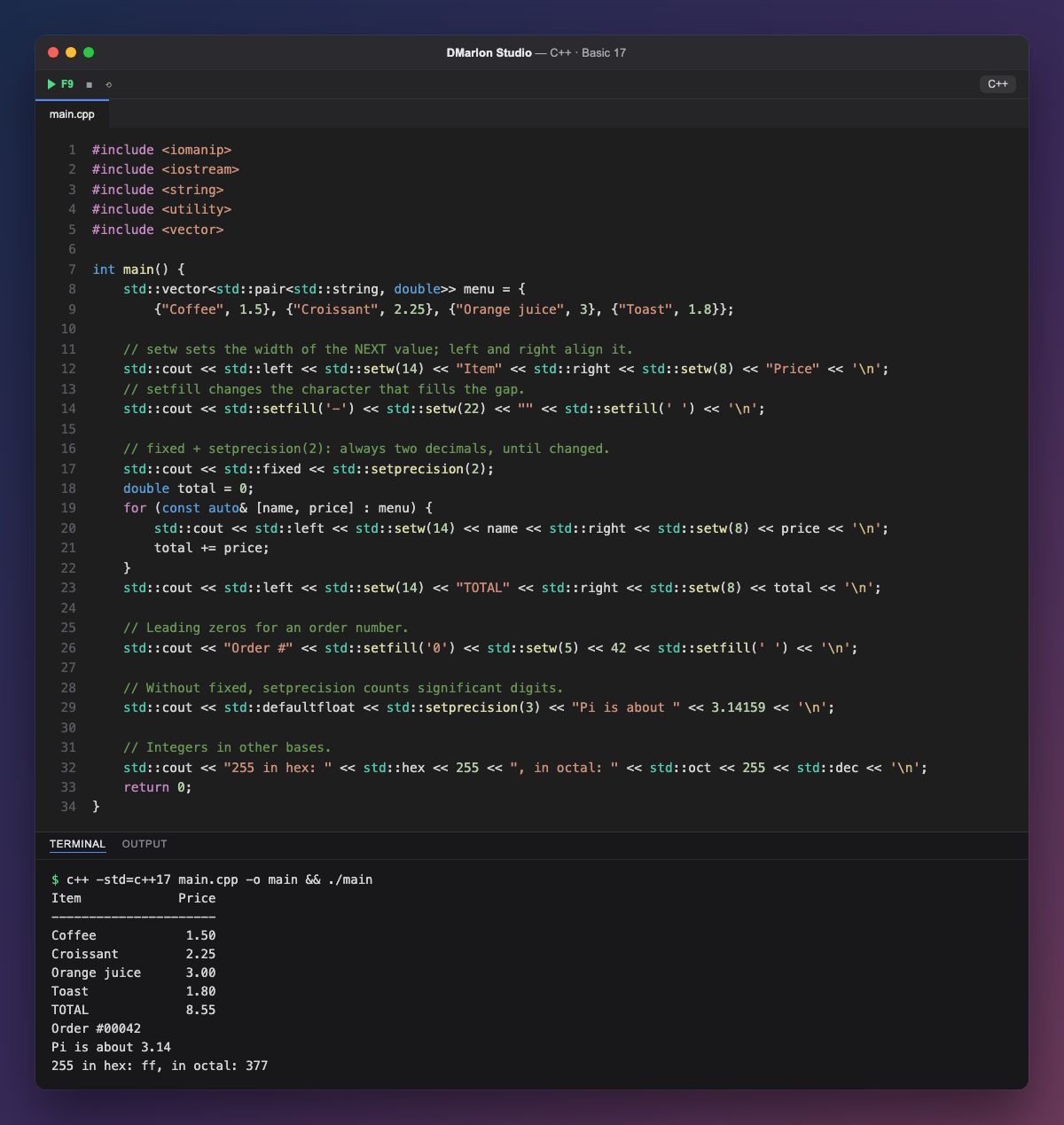
`<iomanip>` brings the manipulators, which you send to std::cout with << to change how whatever follows is printed. With them, the café menu is laid out in columns.
`std::setw(14)` reserves 14 characters for the next value only, which is why it is repeated before each column. `std::left` and `std::right` align the text within that width, and they stay in force until you change them.
`std::setfill('-')` changes the padding character: with setw(22) and an empty string, it draws a line of 22 dashes. Then std::setfill(' ') goes back to spaces. The same trick with '0' prints the order number 00042.
`std::fixed` together with `std::setprecision(2)` always prints two decimals: 3 comes out as 3.00, perfect for prices. Without fixed (std::defaultfloat), setprecision(3) counts significant digits, so π becomes 3.14.
`std::hex` and `std::oct` print integers in hexadecimal and octal; std::dec goes back to decimal. The pairs in menu are walked with structured bindings, as in the previous lesson.
Code · main.cpp
#include <iomanip>#include <iostream>#include <string>#include <utility>#include <vector>int main() { std::vector<std::pair<std::string, double>> menu = { {"Coffee", 1.5}, {"Croissant", 2.25}, {"Orange juice", 3}, {"Toast", 1.8}}; // setw sets the width of the NEXT value; left and right align it. std::cout << std::left << std::setw(14) << "Item" << std::right << std::setw(8) << "Price" << '\n'; // setfill changes the character that fills the gap. std::cout << std::setfill('-') << std::setw(22) << "" << std::setfill(' ') << '\n'; // fixed + setprecision(2): always two decimals, until changed. std::cout << std::fixed << std::setprecision(2); double total = 0; for (const auto& [name, price] : menu) { std::cout << std::left << std::setw(14) << name << std::right << std::setw(8) << price << '\n'; total += price; } std::cout << std::left << std::setw(14) << "TOTAL" << std::right << std::setw(8) << total << '\n'; // Leading zeros for an order number. std::cout << "Order #" << std::setfill('0') << std::setw(5) << 42 << std::setfill(' ') << '\n'; // Without fixed, setprecision counts significant digits. std::cout << std::defaultfloat << std::setprecision(3) << "Pi is about " << 3.14159 << '\n'; // Integers in other bases. std::cout << "255 in hex: " << std::hex << 255 << ", in octal: " << std::oct << 255 << std::dec << '\n'; return 0;}Output · c++ -std=c++17 main.cpp -o main && ./main
Item             Price
----------------------
Coffee            1.50
Croissant         2.25
Orange juice      3.00
Toast             1.80
TOTAL             8.55
Order #00042
Pi is about 3.14
255 in hex: ff, in octal: 377
Key points
std::setw(n)sets the width of the next value.std::leftandstd::rightalign, and last until changed.std::setfill(c)changes the padding character.std::fixed << std::setprecision(2): always two decimals.std::hex,std::octandstd::decchange the base.
Exercise
Add a Qty column to the menu with the units ordered of each item and another with the amount (units times price), all right-aligned, and the total at the bottom.