Lesson 19 · 19 of 20
Reading what is typed · JavaScript
Read data from standard input in JavaScript with Node.js and fs.readFileSync(0), and turn it into a grade report.
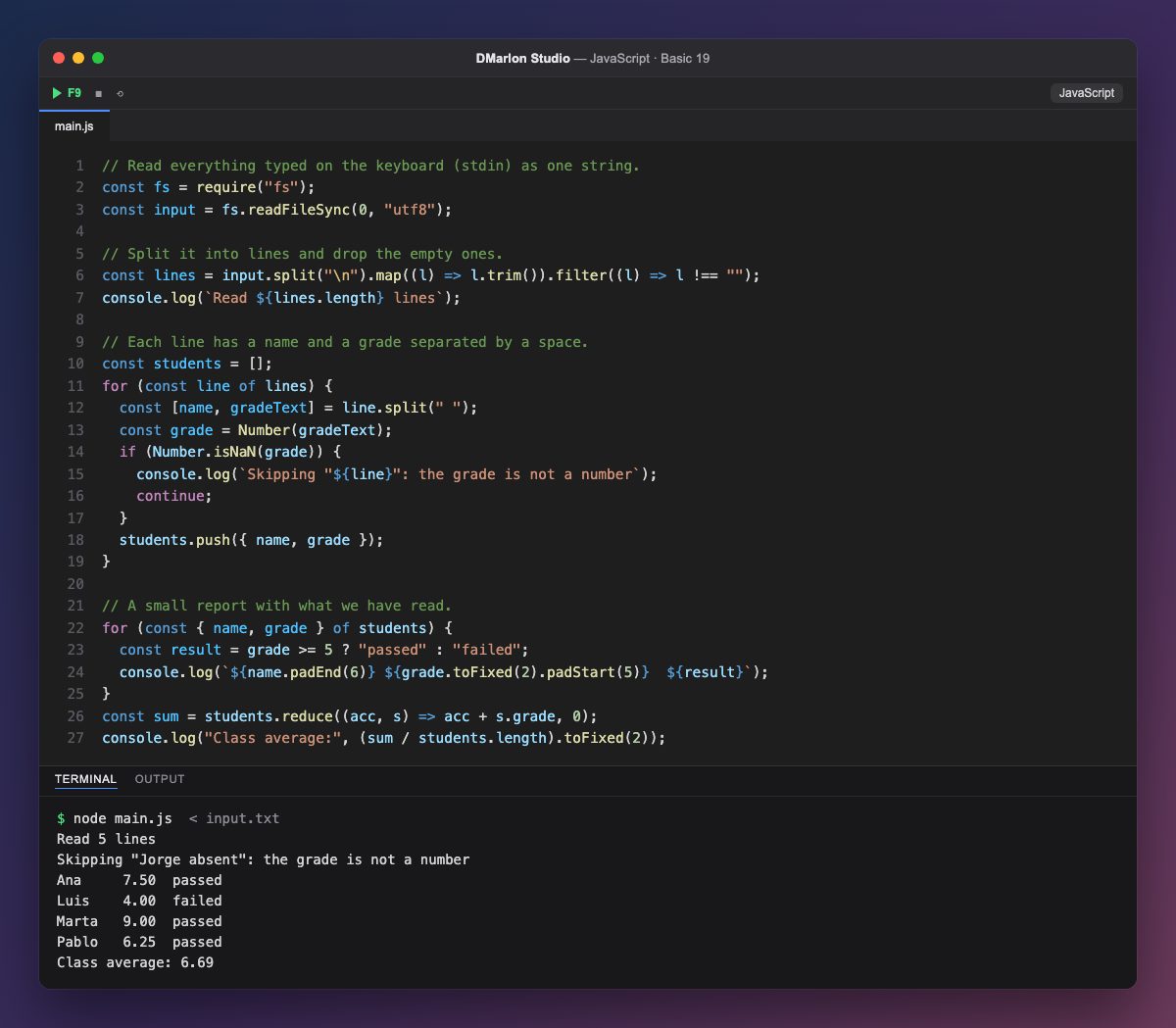
In Node.js, whatever is typed arrives through standard input (stdin). require("fs") loads the file system module and `fs.readFileSync(0, "utf8")` reads all the input at once as one string: 0 is the number that identifies standard input.
Here the input comes from input.txt, which stands in for the keyboard. In a terminal you would run node main.js < input.txt, or type the lines and press Ctrl+D at the end (Ctrl+Z and Enter on Windows).
What you read is a single text, so first it is cut into lines with split("\n"). trim() removes spaces and the \r left by Windows files, and filter drops the empty lines.
Each line is split into a name and a grade with split(" ") and destructuring, and Number() turns the grade into a number. Outside data can be wrong: if the grade is not a number, `Number.isNaN()` spots it and continue skips Jorge's line with a warning.
With the students in an array of objects, the report uses what you already know: a ternary for the result, padEnd and padStart for the columns and reduce for the average.
Code · main.js
// Read everything typed on the keyboard (stdin) as one string.const fs = require("fs");const input = fs.readFileSync(0, "utf8");// Split it into lines and drop the empty ones.const lines = input.split("\n").map((l) => l.trim()).filter((l) => l !== "");console.log(`Read ${lines.length} lines`);// Each line has a name and a grade separated by a space.const students = [];for (const line of lines) { const [name, gradeText] = line.split(" "); const grade = Number(gradeText); if (Number.isNaN(grade)) { console.log(`Skipping "${line}": the grade is not a number`); continue; } students.push({ name, grade });}// A small report with what we have read.for (const { name, grade } of students) { const result = grade >= 5 ? "passed" : "failed"; console.log(`${name.padEnd(6)} ${grade.toFixed(2).padStart(5)} ${result}`);}const sum = students.reduce((acc, s) => acc + s.grade, 0);console.log("Class average:", (sum / students.length).toFixed(2));Input (what gets typed) · input.txt
Ana 7.5
Luis 4
Jorge absent
Marta 9
Pablo 6.25
Output · node main.js
Read 5 lines
Skipping "Jorge absent": the grade is not a number
Ana     7.50  passed
Luis    4.00  failed
Marta   9.00  passed
Pablo   6.25  passed
Class average: 6.69
Key points
fs.readFileSync(0, "utf8")reads all of standard input.split("\n")cuts it into lines;trimcleans each one.Number()turns text into a number; check it withNumber.isNaN.- Never trust outside data: validate it.
Exercise
Change input.txt so each line has a name and three grades, work out each student's average and say who has the highest.