Lesson 1 · 1 of 20
Hello, world · JavaScript
Your first JavaScript program: console.log() writes text and results to the console. Run it with Node.js in DMarlon Studio.
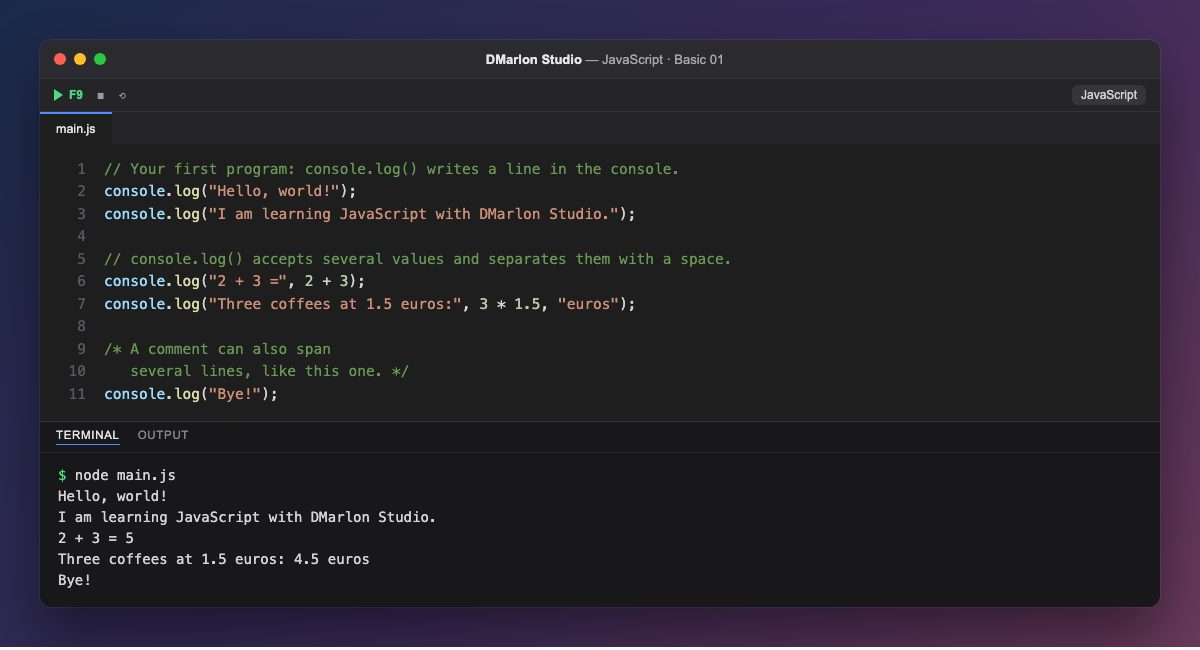
Every program starts by showing something. In JavaScript you use console.log(): it writes whatever you put inside the parentheses to the console and moves to the next line. Each statement ends with a semicolon ;.
Text goes between quotes (it is a string). Numbers go without quotes, and JavaScript does the maths before printing: 2 + 3 comes out as 5. Decimals use a dot: 1.5.
If you separate several values with commas, console.log() prints them all on the same line with a space in between. That is how you mix text and results, as in "2 + 3 =", 2 + 3.
Lines starting with // are comments: JavaScript ignores them, and they explain the code to whoever reads it. For a comment over several lines, use /* ... */.
JavaScript was born in the browser, but Node.js runs it on your computer too, as here. In DMarlon Studio it is also the language of the Electron, React, Next.js and React Native targets.
Code · main.js
// Your first program: console.log() writes a line in the console.console.log("Hello, world!");console.log("I am learning JavaScript with DMarlon Studio.");// console.log() accepts several values and separates them with a space.console.log("2 + 3 =", 2 + 3);console.log("Three coffees at 1.5 euros:", 3 * 1.5, "euros");/* A comment can also span several lines, like this one. */console.log("Bye!");Output · node main.js
Hello, world!
I am learning JavaScript with DMarlon Studio.
2 + 3 = 5
Three coffees at 1.5 euros: 4.5 euros
Bye!
Key points
console.log()writes a line to the console.- Text goes between quotes; numbers do not.
- With commas,
console.log()prints several values separated by a space. //starts a one-line comment;/* */spans several lines.
Exercise
Change the program so it prints your name and age, and on another line how old you will be in 10 years (let JavaScript work it out).