Lesson 17 · 17 of 20
JSON: stringify and parse · JavaScript
Turn JavaScript objects into JSON text with JSON.stringify and get them back with JSON.parse, to save a game or read data from a server.
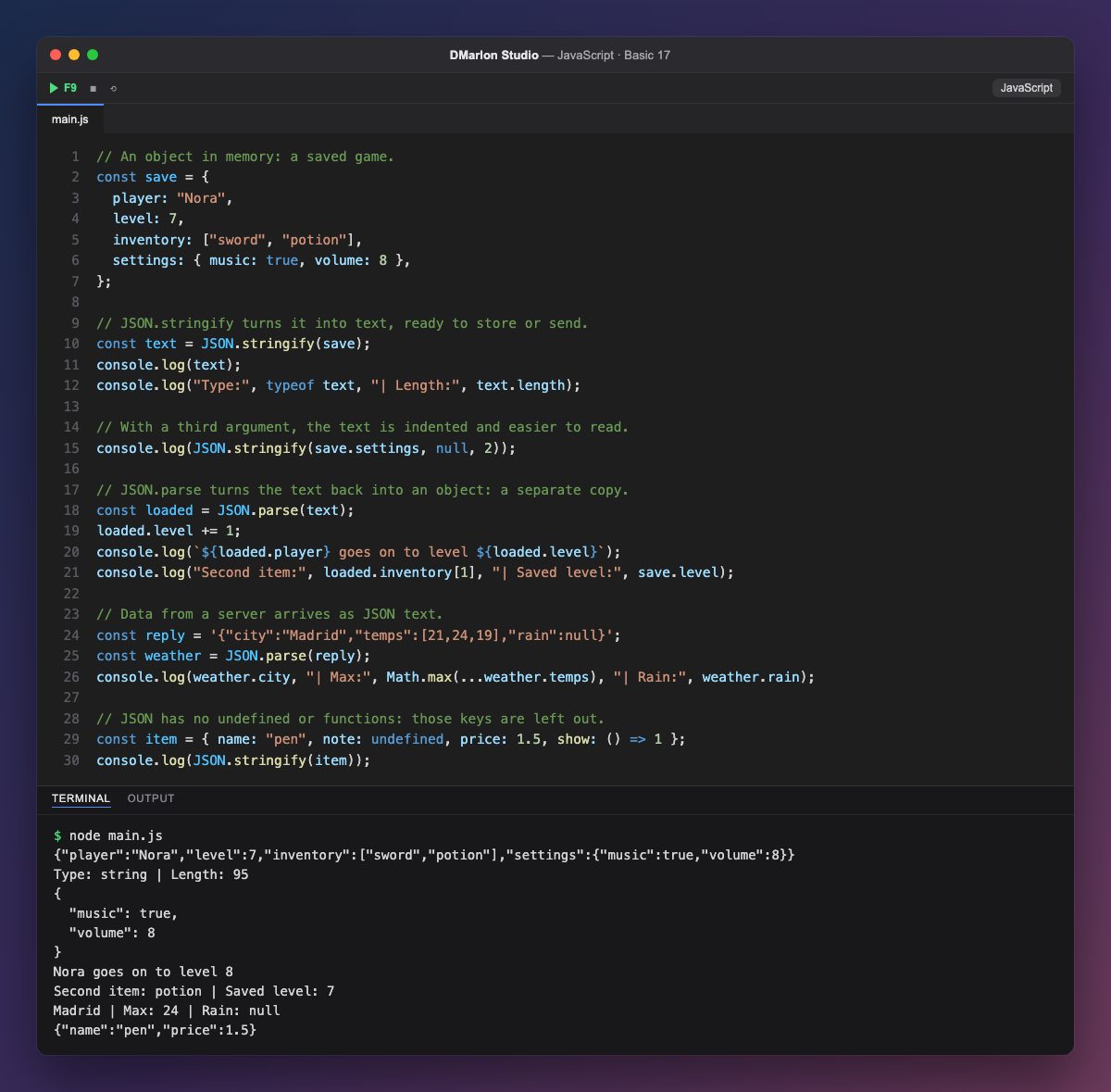
JSON is a text format for data with the same shape as JavaScript objects and arrays. It is how settings are stored and how data travels between a server and a web app, such as one built with Next.js or React in DMarlon Studio.
`JSON.stringify()` turns a value into JSON text: the saved game save becomes a string (typeof text is string), ready to write to a file or send. With a third argument, JSON.stringify(value, null, 2), the text is indented by two spaces and much easier to read.
`JSON.parse()` goes the other way: it reads the text and creates a new object. loaded is an independent copy, so raising its level does not change save, which stays on level 7.
Data from a server arrives as text, like reply, and is read with JSON.parse. In JSON, keys and strings always use double quotes, and there are null, numbers, booleans, arrays and objects.
JSON has no undefined and no functions: when item is converted, the note and show properties silently disappear.
Code · main.js
// An object in memory: a saved game.const save = { player: "Nora", level: 7, inventory: ["sword", "potion"], settings: { music: true, volume: 8 },};// JSON.stringify turns it into text, ready to store or send.const text = JSON.stringify(save);console.log(text);console.log("Type:", typeof text, "| Length:", text.length);// With a third argument, the text is indented and easier to read.console.log(JSON.stringify(save.settings, null, 2));// JSON.parse turns the text back into an object: a separate copy.const loaded = JSON.parse(text);loaded.level += 1;console.log(`${loaded.player} goes on to level ${loaded.level}`);console.log("Second item:", loaded.inventory[1], "| Saved level:", save.level);// Data from a server arrives as JSON text.const reply = '{"city":"Madrid","temps":[21,24,19],"rain":null}';const weather = JSON.parse(reply);console.log(weather.city, "| Max:", Math.max(...weather.temps), "| Rain:", weather.rain);// JSON has no undefined or functions: those keys are left out.const item = { name: "pen", note: undefined, price: 1.5, show: () => 1 };console.log(JSON.stringify(item));Output · node main.js
{"player":"Nora","level":7,"inventory":["sword","potion"],"settings":{"music":true,"volume":8}}
Type: string | Length: 95
{
  "music": true,
  "volume": 8
}
Nora goes on to level 8
Second item: potion | Saved level: 7
Madrid | Max: 24 | Rain: null
{"name":"pen","price":1.5}
Key points
JSON.stringify(value)turns a value into JSON text.JSON.stringify(value, null, 2)indents it for reading.JSON.parse(text)creates a new object from the text.- JSON uses double quotes and keeps no
undefinedor functions.
Exercise
Add an achievements array with two entries to the saved game, turn it into JSON, read it back with JSON.parse, add an achievement to the copy and check the original still has two.