Lesson 19 · 19 of 20
Text files · Pascal
Write and read text files in Pascal with AssignFile, Rewrite, Append, Reset, ReadLn and CloseFile: a shopping list saved to disk.
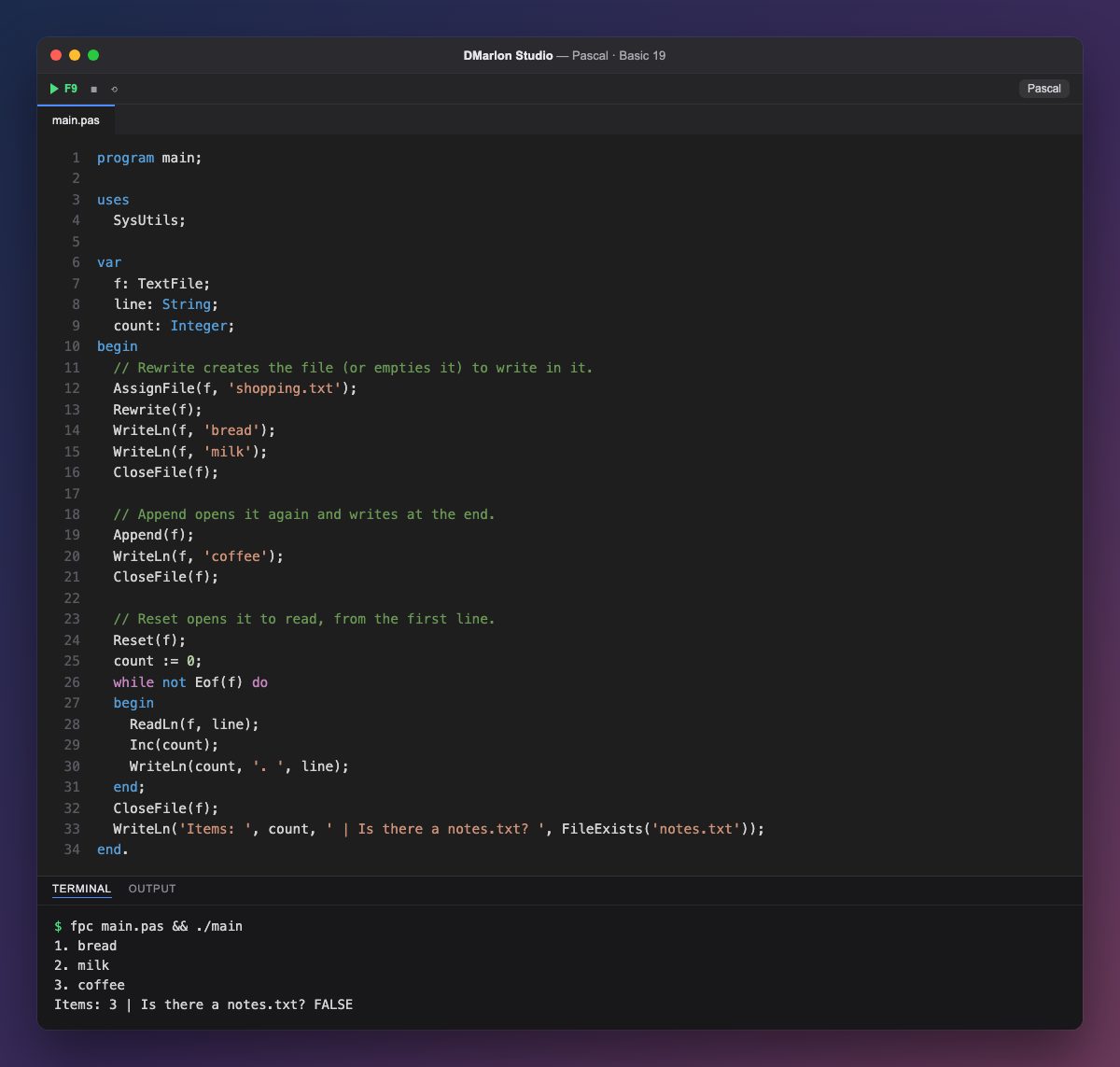
A text file is handled through a variable of type `TextFile`. `AssignFile(f, 'shopping.txt')` links it to the file name; the file is created in the current folder, next to the program.
`Rewrite` creates the file for writing (emptying it if it already existed), and WriteLn(f, ...) writes just as it does to the console, but with the file as the first argument. `CloseFile` closes it and makes sure everything is saved.
`Append` opens the file again and writes at the end, keeping what was there: that is how coffee is added to the list.
`Reset` opens it for reading from the first line. The while not Eof(f) loop reads one line at a time with ReadLn(f, line) until it reaches the end (`Eof`, end of file), numbering each item with count.
Opening a file that does not exist for reading causes a run-time error. You can check first with `FileExists`, from SysUtils: notes.txt does not exist, so it gives FALSE.
Code · main.pas
program main;uses SysUtils;var f: TextFile; line: String; count: Integer;begin // Rewrite creates the file (or empties it) to write in it. AssignFile(f, 'shopping.txt'); Rewrite(f); WriteLn(f, 'bread'); WriteLn(f, 'milk'); CloseFile(f); // Append opens it again and writes at the end. Append(f); WriteLn(f, 'coffee'); CloseFile(f); // Reset opens it to read, from the first line. Reset(f); count := 0; while not Eof(f) do begin ReadLn(f, line); Inc(count); WriteLn(count, '. ', line); end; CloseFile(f); WriteLn('Items: ', count, ' | Is there a notes.txt? ', FileExists('notes.txt'));end.Output · fpc main.pas && ./main
1. bread
2. milk
3. coffee
Items: 3 | Is there a notes.txt? FALSE
Key points
AssignFilelinks the variable to the file name.Rewritecreates,Appendadds andResetopens for reading.WriteLn(f, ...)andReadLn(f, ...)write and read lines.Eof(f)tells you when the end is reached;CloseFilecloses.
Exercise
Save another file, prices.txt, with one price per line (2.50, 1.10 and 3.75); read it back with ReadLn(f, price) into a Double variable and print the total.