Lesson 13 · 13 of 20
TStringList in depth · Pascal
Sort, search and store name=value pairs with TStringList, the string list from the Classes unit that every Free Pascal and Lazarus program uses.
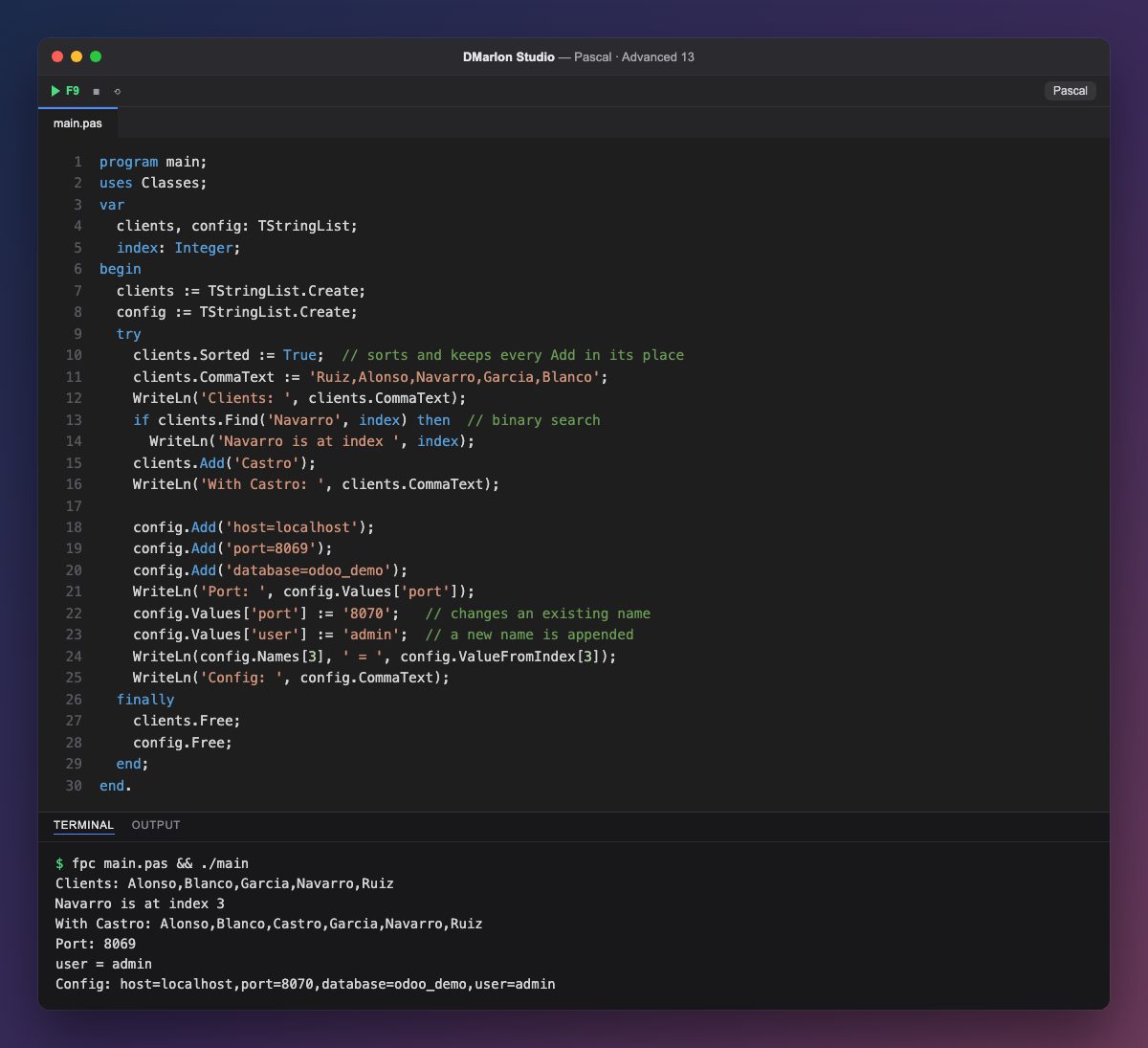
`TStringList` (in the Classes unit) is Pascal's Swiss army knife for text. With `Sorted := True`, the list sorts itself and every later Add goes straight to its place. `CommaText` works both ways: assigning it splits the text at the commas; reading it joins the items.
`Find` runs a binary search, very fast on large lists, and only works when the list is sorted. It returns True if it finds the text and puts its position in the index parameter: Navarro is at 3, counting from 0. For unsorted lists there is IndexOf. When Castro is added, it lands between Blanco and Garcia with no re-sorting needed.
The second list holds `name=value` lines, like a configuration file (here, the connection to an Odoo database). `Values['port']` returns the value for that name, and assigning it changes the line if it exists or appends a new one, as happens with user.
`Names[3]` and `ValueFromIndex[3]` give the name and value of line 3 by position. With LoadFromFile and SaveToFile the same list reads and writes a whole .ini or .conf file in one line. It is an object, so it is freed in the finally block.
Code · main.pas
program main;uses Classes;var clients, config: TStringList; index: Integer;begin clients := TStringList.Create; config := TStringList.Create; try clients.Sorted := True; // sorts and keeps every Add in its place clients.CommaText := 'Ruiz,Alonso,Navarro,Garcia,Blanco'; WriteLn('Clients: ', clients.CommaText); if clients.Find('Navarro', index) then // binary search WriteLn('Navarro is at index ', index); clients.Add('Castro'); WriteLn('With Castro: ', clients.CommaText); config.Add('host=localhost'); config.Add('port=8069'); config.Add('database=odoo_demo'); WriteLn('Port: ', config.Values['port']); config.Values['port'] := '8070'; // changes an existing name config.Values['user'] := 'admin'; // a new name is appended WriteLn(config.Names[3], ' = ', config.ValueFromIndex[3]); WriteLn('Config: ', config.CommaText); finally clients.Free; config.Free; end;end.Output · fpc main.pas && ./main
Clients: Alonso,Blanco,Garcia,Navarro,Ruiz
Navarro is at index 3
With Castro: Alonso,Blanco,Castro,Garcia,Navarro,Ruiz
Port: 8069
user = admin
Config: host=localhost,port=8070,database=odoo_demo,user=admin
Key points
Sorted := Truesorts and keeps order on everyAdd.CommaTextsplits and joins comma-separated text.Findsearches fast, but only in sorted lists.Values['name']reads and writesname=valuepairs.LoadFromFileandSaveToFileload and save the whole list.
Exercise
Save config to odoo.conf with SaveToFile, create another TStringList, load the file with LoadFromFile and print its Values['database'].