Lesson 18 · 18 of 20
Strings with StrUtils and Format · Pascal
Split, align, transform and mask text with the StrUtils functions and Format patterns in Free Pascal, working on a line from a CSV file.
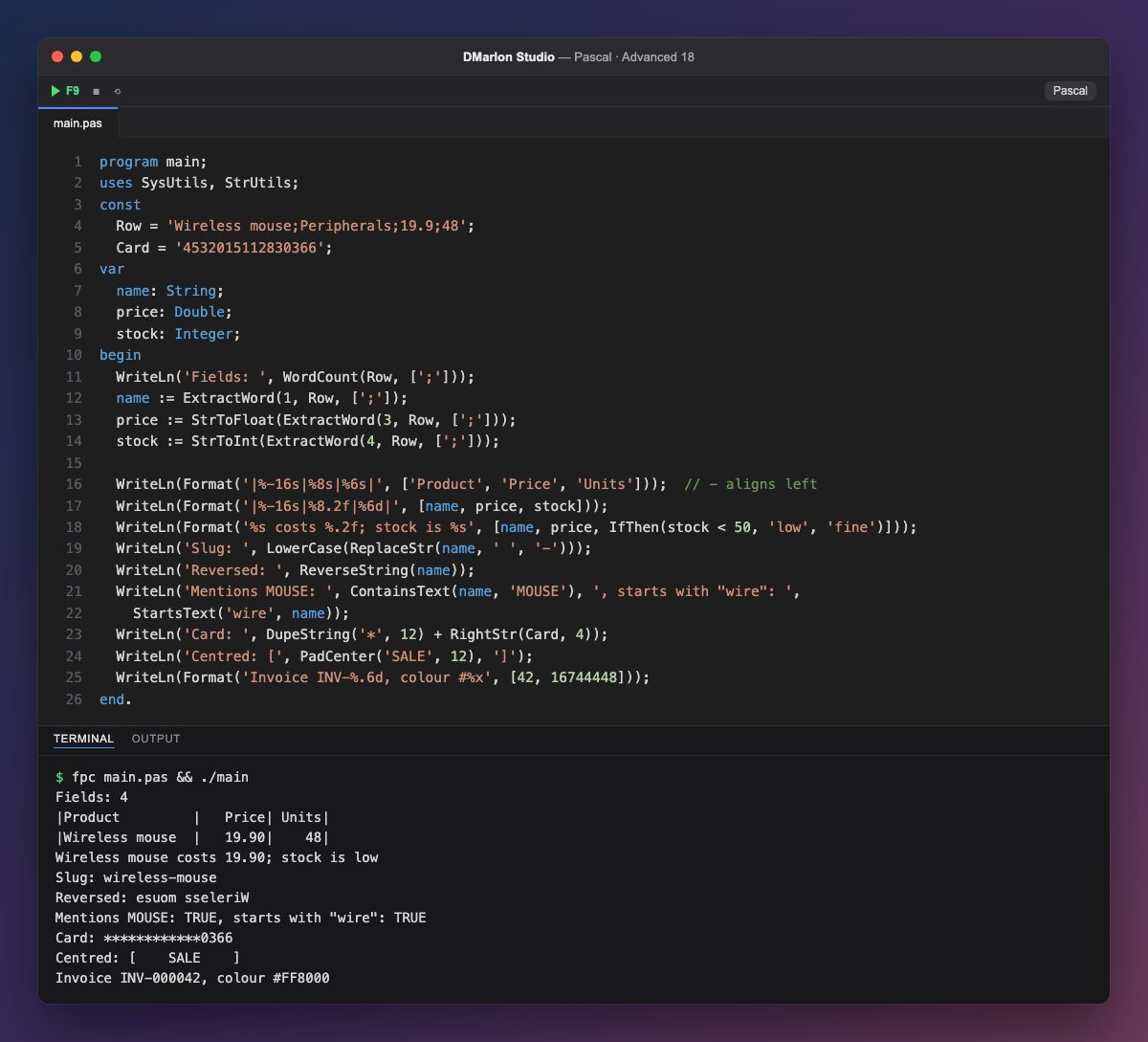
The Row constant is a line from a semicolon-separated CSV. `WordCount` counts its fields and `ExtractWord(n, Row, [';'])` pulls out field number n (starting at 1); the third parameter is a set of separators. StrToFloat and StrToInt convert the price and the stock.
`Format` builds text from a template. %-16s reserves 16 characters for left-aligned text (the - sign), %8.2f writes a number with two decimals in 8 right-aligned columns and %6d does the same with an integer. %.6d pads with zeros (000042) and %x writes hexadecimal, handy for colours.
`IfThen` from StrUtils picks one of two strings based on a condition, in a single expression. ReplaceStr and LowerCase turn the name into a URL *slug*, and ReverseString flips it.
`ContainsText` and `StartsText` search ignoring case; their counterparts ContainsStr and StartsStr are case-sensitive. `DupeString` repeats a string and `RightStr` takes the end of one: together they mask a card number, leaving the last four digits visible. `PadCenter` centres text in a given width.
Code · main.pas
program main;uses SysUtils, StrUtils;const Row = 'Wireless mouse;Peripherals;19.9;48'; Card = '4532015112830366';var name: String; price: Double; stock: Integer;begin WriteLn('Fields: ', WordCount(Row, [';'])); name := ExtractWord(1, Row, [';']); price := StrToFloat(ExtractWord(3, Row, [';'])); stock := StrToInt(ExtractWord(4, Row, [';'])); WriteLn(Format('|%-16s|%8s|%6s|', ['Product', 'Price', 'Units'])); // - aligns left WriteLn(Format('|%-16s|%8.2f|%6d|', [name, price, stock])); WriteLn(Format('%s costs %.2f; stock is %s', [name, price, IfThen(stock < 50, 'low', 'fine')])); WriteLn('Slug: ', LowerCase(ReplaceStr(name, ' ', '-'))); WriteLn('Reversed: ', ReverseString(name)); WriteLn('Mentions MOUSE: ', ContainsText(name, 'MOUSE'), ', starts with "wire": ', StartsText('wire', name)); WriteLn('Card: ', DupeString('*', 12) + RightStr(Card, 4)); WriteLn('Centred: [', PadCenter('SALE', 12), ']'); WriteLn(Format('Invoice INV-%.6d, colour #%x', [42, 16744448]));end.Output · fpc main.pas && ./main
Fields: 4
|Product         |   Price| Units|
|Wireless mouse  |   19.90|    48|
Wireless mouse costs 19.90; stock is low
Slug: wireless-mouse
Reversed: esuom sseleriW
Mentions MOUSE: TRUE, starts with "wire": TRUE
Card: ************0366
Centred: [    SALE    ]
Invoice INV-000042, colour #FF8000
Key points
ExtractWordandWordCountsplit on whatever separators you choose.- In
Format,%-16saligns left and%8.2faligns right. %.6dpads with zeros and%xwrites hexadecimal.- The
...Textfunctions ignore case; the...Strones do not. IfThenpicks one of two strings in an expression.
Exercise
Add a second CSV line with another product and print both as a table with Format, with a row of dashes made with DupeString under the header.