Python · tkinter
Point of sale
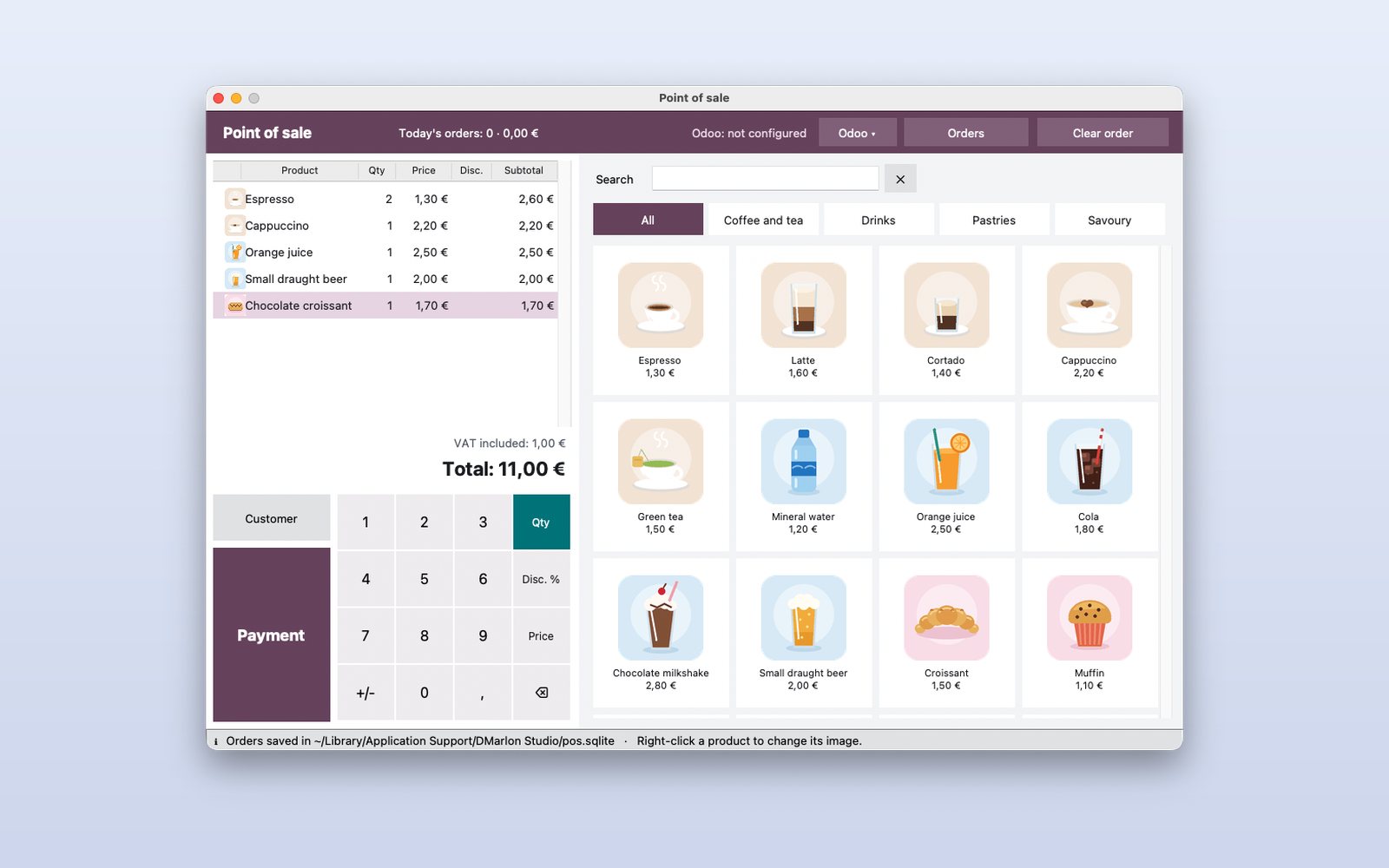
A point of sale in the style of Odoo's, with product pictures, that works on its own or connected to your Odoo: it downloads products and prices and sends the orders to Sales.
What it shows
- Connecting to Odoo and working offline
- Sales and pictures saved in SQLite
- Payment with change, receipt and daily summary
How it works
- 1
Build the order
Tap products to add them; the keypad changes the quantity, discount or price of the selected line, as in Odoo's POS.
 2
Take payment
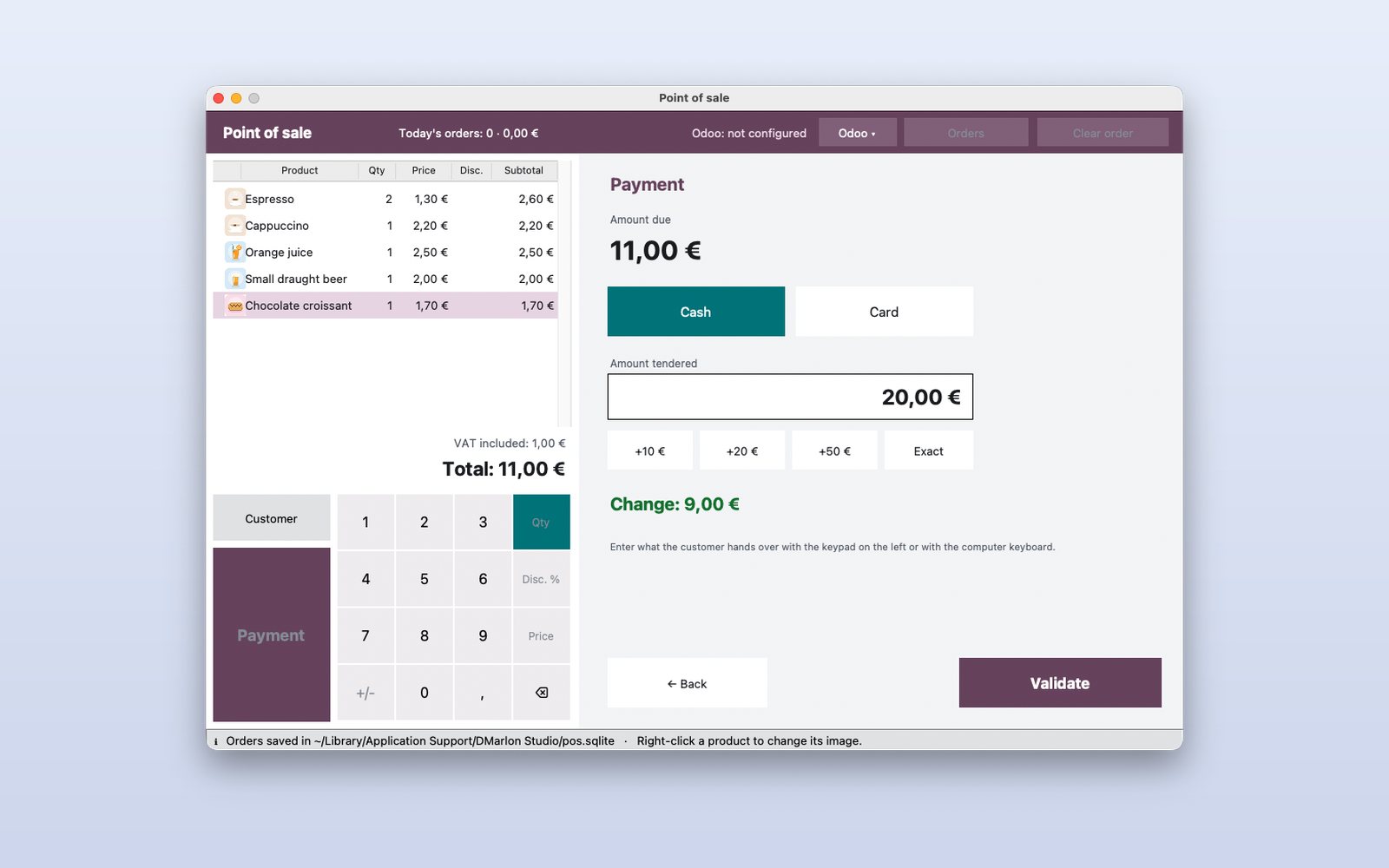
Choose cash or card and enter what the customer hands over: the program works out the change or what is still due.
 3
Hand over the receipt
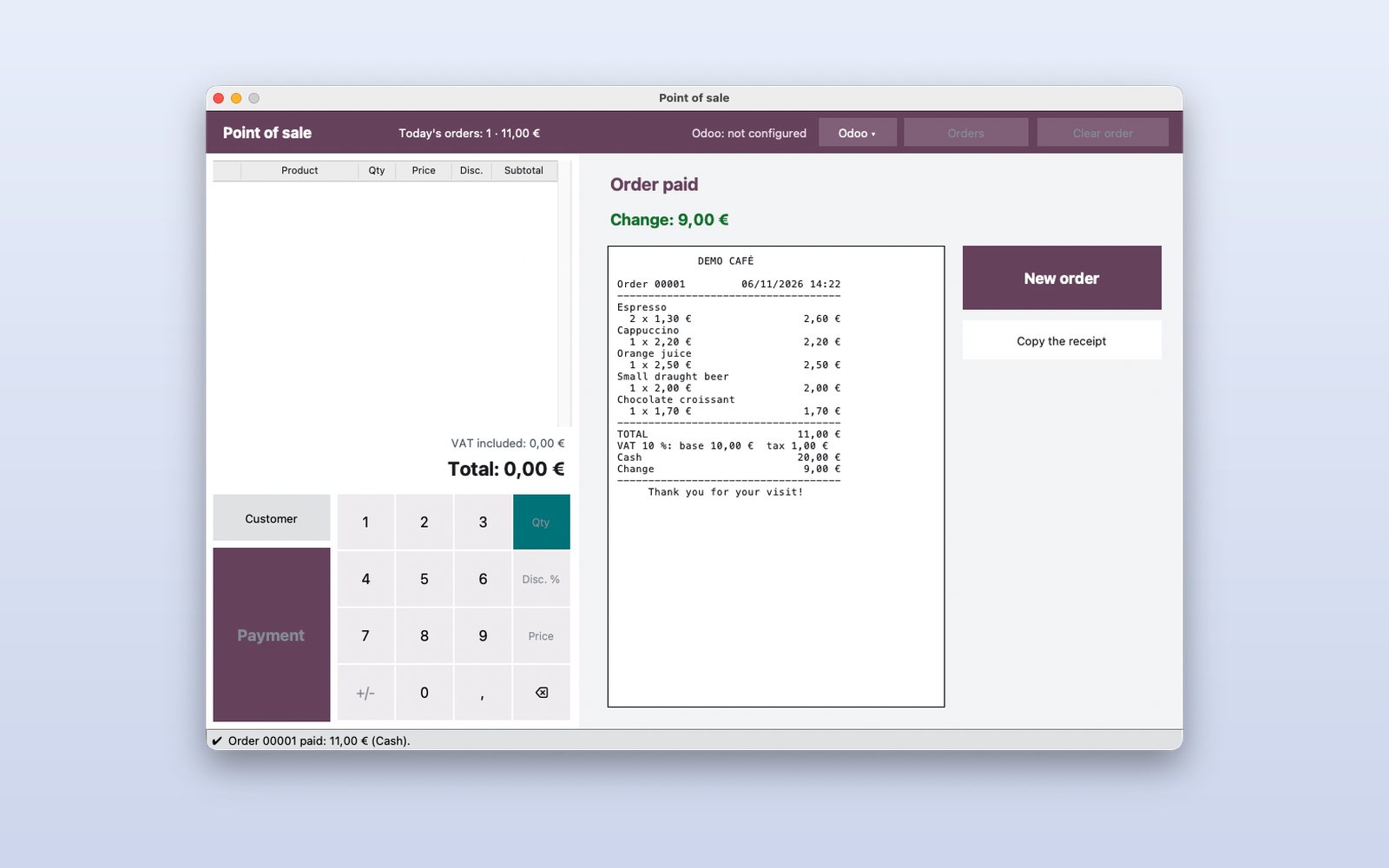
On validation the sale is saved (in SQLite and, when connected, in Odoo) and the receipt shows the VAT breakdown.
This demo comes as an example in DMarlon Studio: open it in the Designer to see its design and code, change it and press Run.