How it works
 1
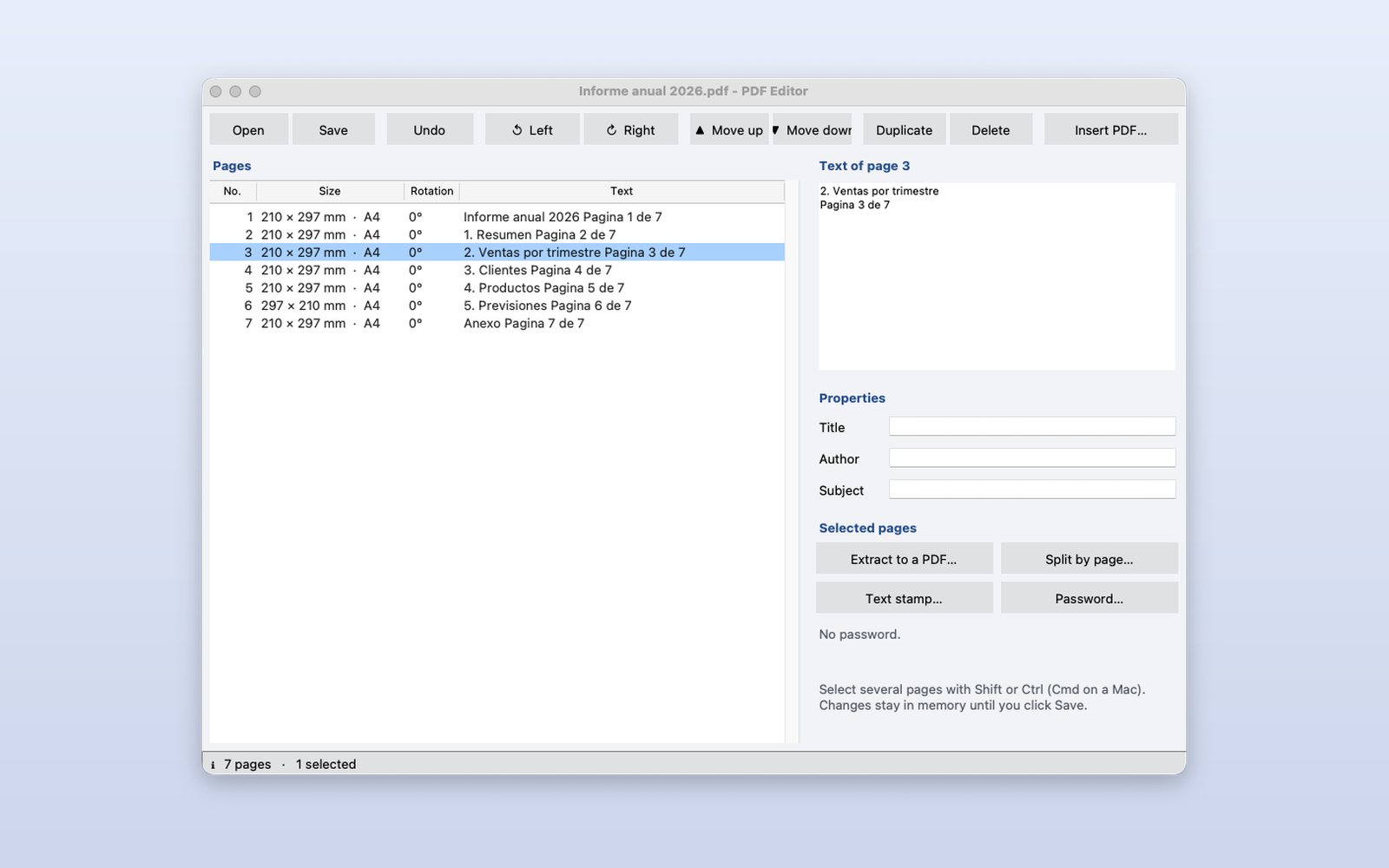
Open a PDF
The list shows each page with its size, rotation and first words; on the right, the full text of the selected page.
 2
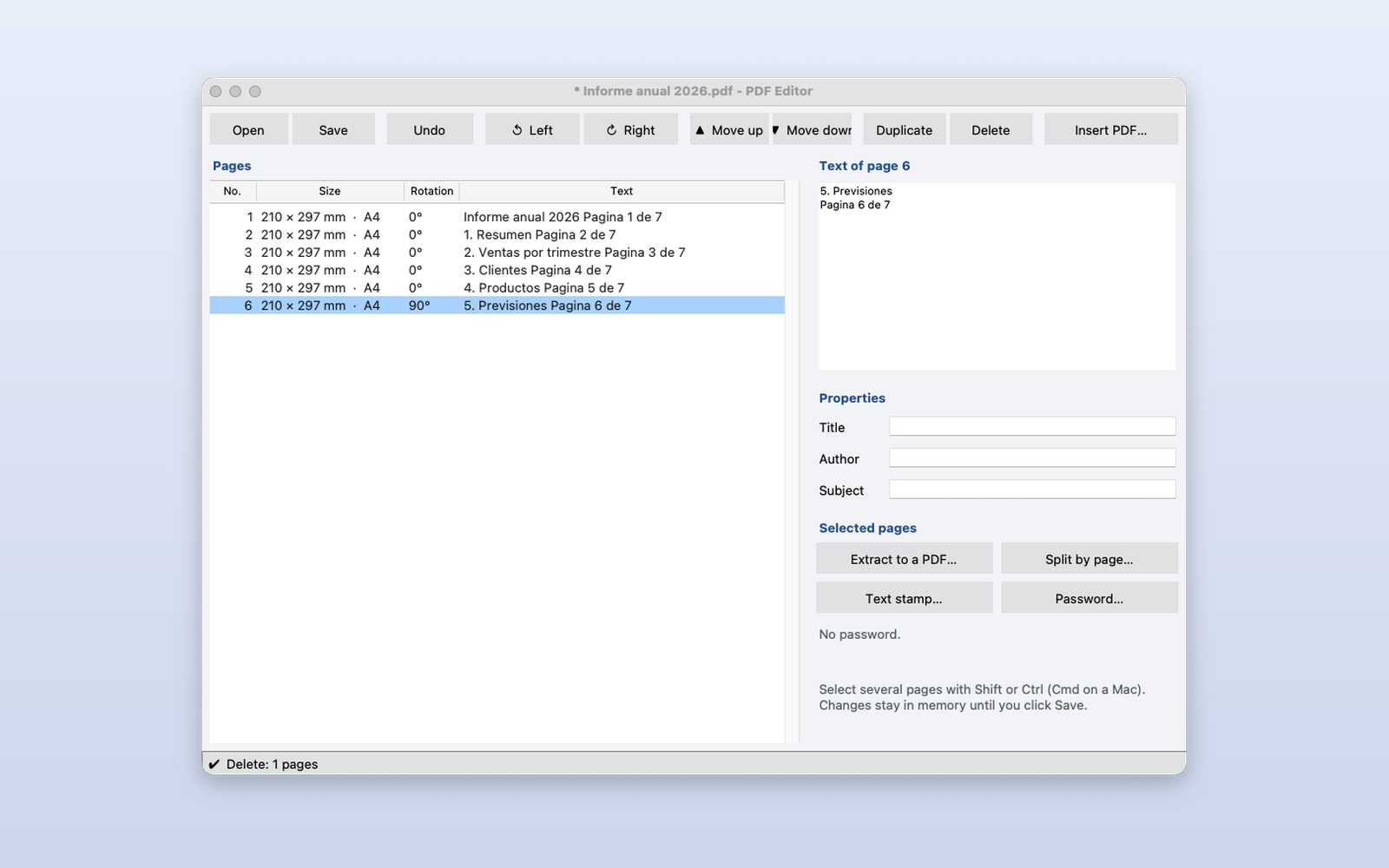
Rotate, move or delete pages
The toolbar acts on the selected pages. Everything stays in memory (with Undo) until you press Save.
 3
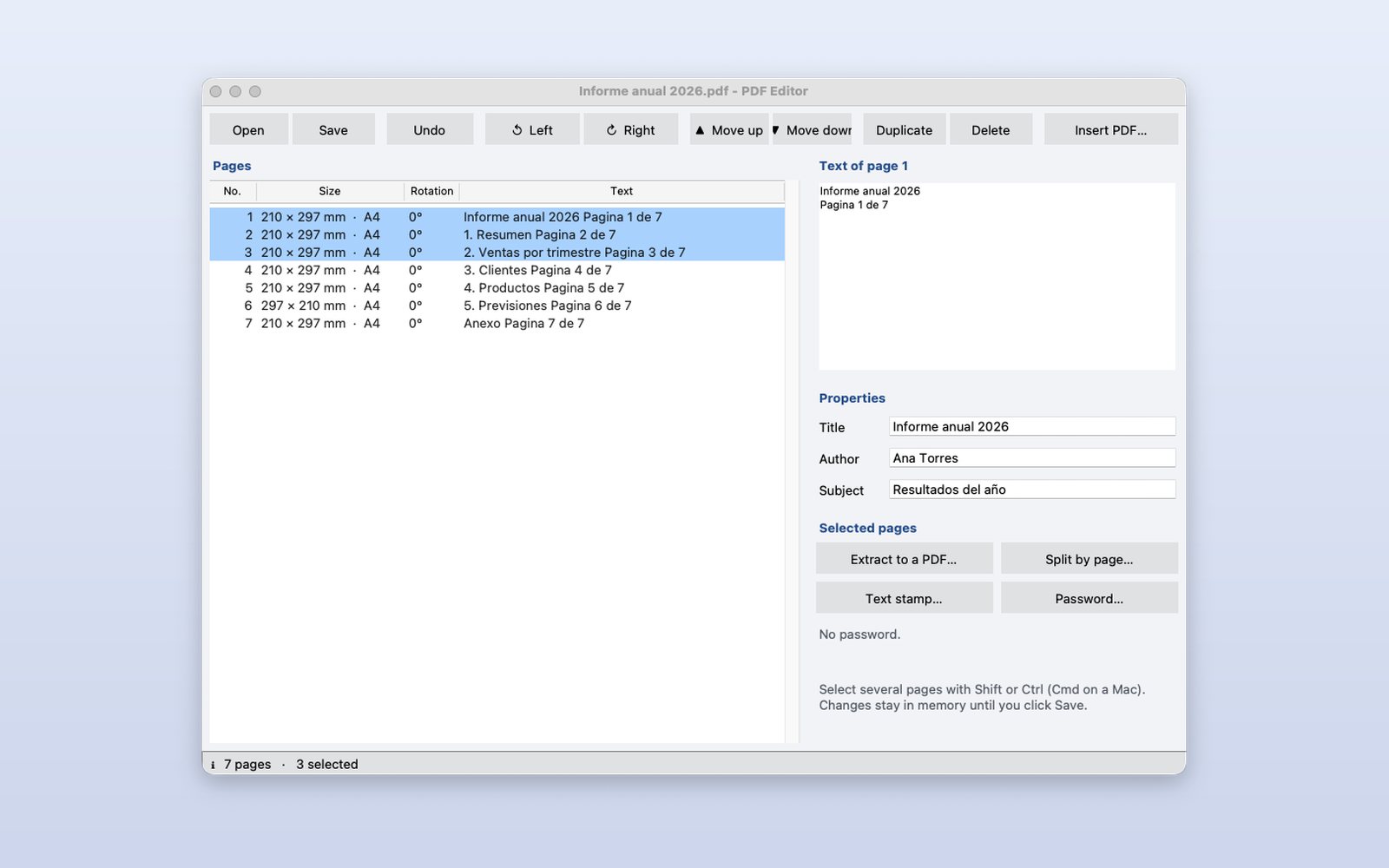
Details, stamps and password
Select several pages to extract them to another PDF or split them, add a text stamp, change the title and author, and protect the document with a password.
This demo comes as an example in DMarlon Studio: open it in the Designer to see its design and code, change it and press Run.