Lesson 19 · 19 of 20
Writing and reading files · Python
Save data to a text file with Python and read it back with open(), write() and read(): the high scores of a game.
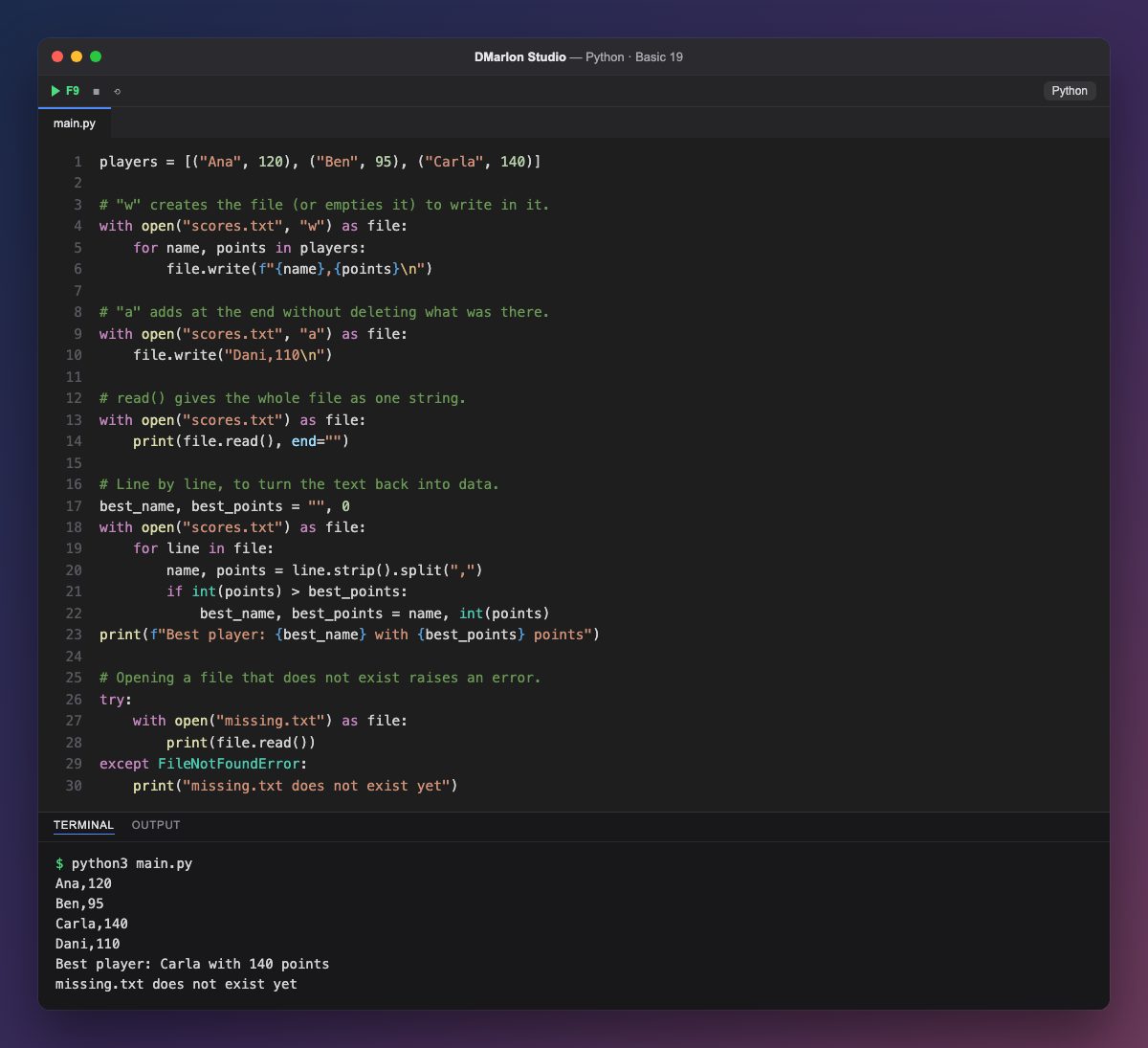
open("scores.txt", "w") opens a file in the current folder for writing: if it does not exist it is created, and if it does it is emptied. with makes sure the file is closed when the block ends, even if there is an error. Inside, file.write() writes text; you have to add the line break \n yourself.
Mode "a" (append) opens the file to add at the end without deleting what was there: that is how Dani's score is added.
Without a mode, open() opens for reading. file.read() returns the whole content as one string. Since it already ends with \n, it is printed with end="" so there is no blank line.
To turn the text back into data, the program goes through the file with for line in file:, one line per round. strip() removes the line break, split(",") separates name and points, and int() turns the points into a number so they can be compared to find the best.
Opening a missing file for reading raises FileNotFoundError, which is caught with try and except as in the previous lesson.
Code · main.py
players = [("Ana", 120), ("Ben", 95), ("Carla", 140)]# "w" creates the file (or empties it) to write in it.with open("scores.txt", "w") as file: for name, points in players: file.write(f"{name},{points}\n")# "a" adds at the end without deleting what was there.with open("scores.txt", "a") as file: file.write("Dani,110\n")# read() gives the whole file as one string.with open("scores.txt") as file: print(file.read(), end="")# Line by line, to turn the text back into data.best_name, best_points = "", 0with open("scores.txt") as file: for line in file: name, points = line.strip().split(",") if int(points) > best_points: best_name, best_points = name, int(points)print(f"Best player: {best_name} with {best_points} points")# Opening a file that does not exist raises an error.try: with open("missing.txt") as file: print(file.read())except FileNotFoundError: print("missing.txt does not exist yet")Output · python3 main.py
Ana,120
Ben,95
Carla,140
Dani,110
Best player: Carla with 140 points
missing.txt does not exist yet
Key points
with open(name, mode) as f:opens and closes for you."w"writes from scratch;"a"appends; no mode reads.write()does not add a line break: add\n.read()gives the whole text;for line in f:goes line by line.- A file that does not exist raises
FileNotFoundError.
Exercise
At the end of the program, write a ranking.txt file with the players sorted from most to fewest points (read the data, keep it in a list of tuples and sort it).