Lesson 13 · 13 of 20
Futures, async and await · Dart
Understand Dart Futures and write readable asynchronous code with async and await, simulating server calls with Future.delayed.
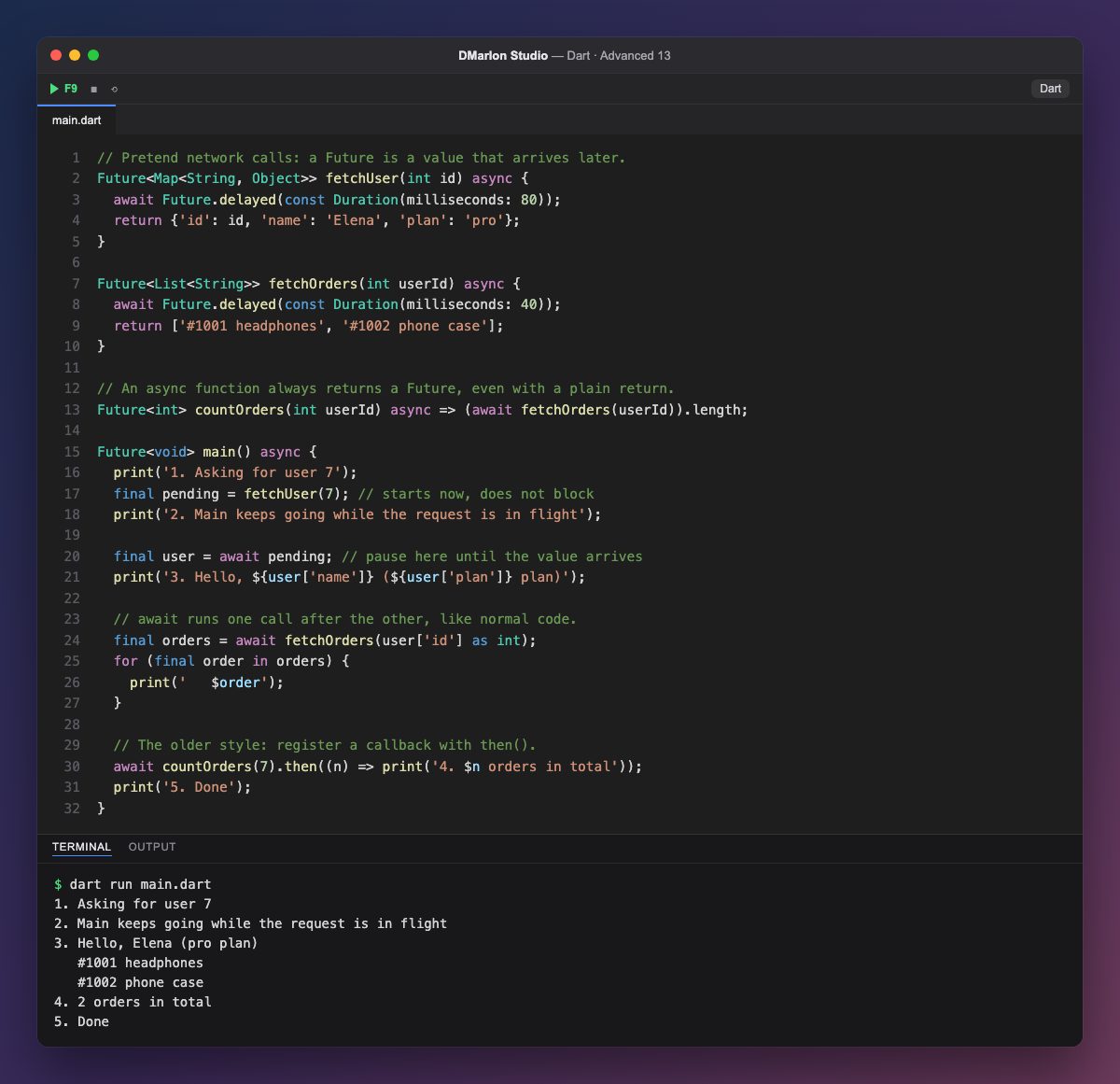
A `Future<T>` is the promise of a value of type T that will arrive later: a server response, a file that has been read or the result of a query. fetchUser and fetchOrders simulate a network call with Future.delayed, which waits a few milliseconds without blocking the program.
A function marked `async` always returns a Future, even when it returns a plain value: countOrders returns a Future<int>. Inside it you can use `await`, which pauses that function until the Future completes and hands over its value.
Look at the order of the output. fetchUser(7) starts the request and immediately returns a pending Future, so message 2 is printed before the user is there. Only await pending waits, and then line 3 appears. Next, await fetchOrders(...) waits for the second call: with await, asynchronous code reads from top to bottom like synchronous code, and every run gives the same output because each step waits for the previous one.
then() is the older style: it registers a function that runs when the result arrives. It is still useful, but async/await is easier to read. main itself can be async and return Future<void>. In a Flutter app, a screen's data is loaded exactly like this, with async functions that return the ready-made model.
Code · main.dart
// Pretend network calls: a Future is a value that arrives later.Future<Map<String, Object>> fetchUser(int id) async { await Future.delayed(const Duration(milliseconds: 80)); return {'id': id, 'name': 'Elena', 'plan': 'pro'};}Future<List<String>> fetchOrders(int userId) async { await Future.delayed(const Duration(milliseconds: 40)); return ['#1001 headphones', '#1002 phone case'];}// An async function always returns a Future, even with a plain return.Future<int> countOrders(int userId) async => (await fetchOrders(userId)).length;Future<void> main() async { print('1. Asking for user 7'); final pending = fetchUser(7); // starts now, does not block print('2. Main keeps going while the request is in flight'); final user = await pending; // pause here until the value arrives print('3. Hello, ${user['name']} (${user['plan']} plan)'); // await runs one call after the other, like normal code. final orders = await fetchOrders(user['id'] as int); for (final order in orders) { print(' $order'); } // The older style: register a callback with then(). await countOrders(7).then((n) => print('4. $n orders in total')); print('5. Done');}Output · dart run main.dart
1. Asking for user 7
2. Main keeps going while the request is in flight
3. Hello, Elena (pro plan)
   #1001 headphones
   #1002 phone case
4. 2 orders in total
5. Done
Key points
- A
Future<T>is a value that will arrive later. - An
asyncfunction always returns aFuture. awaitpauses the function until the value is ready, without blocking the program.- Calling without
awaitstarts the work and carries on. then()is the callback-based alternative.
Exercise
Write fetchAddress(int userId), which takes 30 ms and returns 'Calle Mayor 5, Madrid', and print the address between the greeting and the order list.