How it works
 1
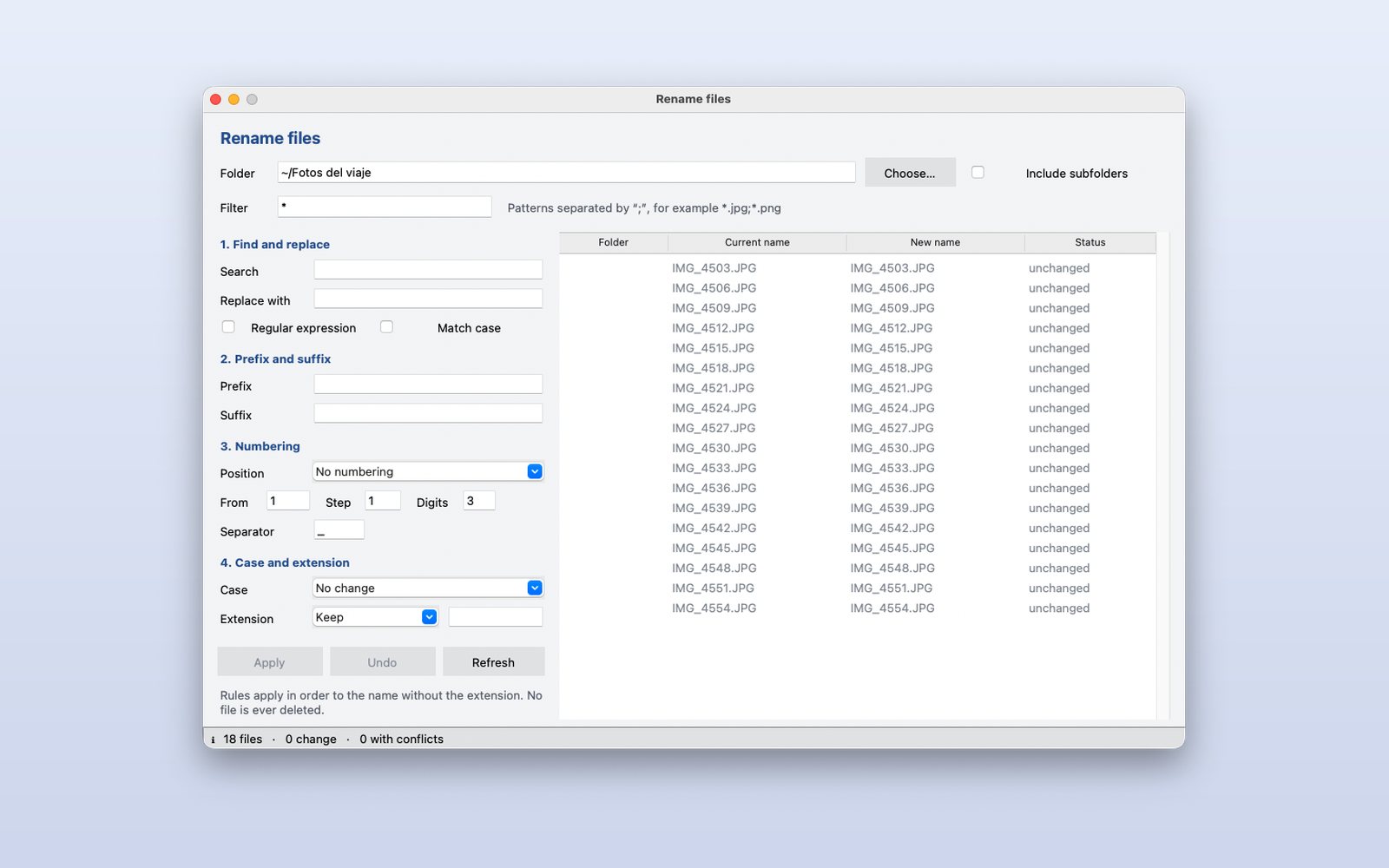
Pick the folder
The list shows the files with their current name; include subfolders and filter with patterns like *.jpg.
 2
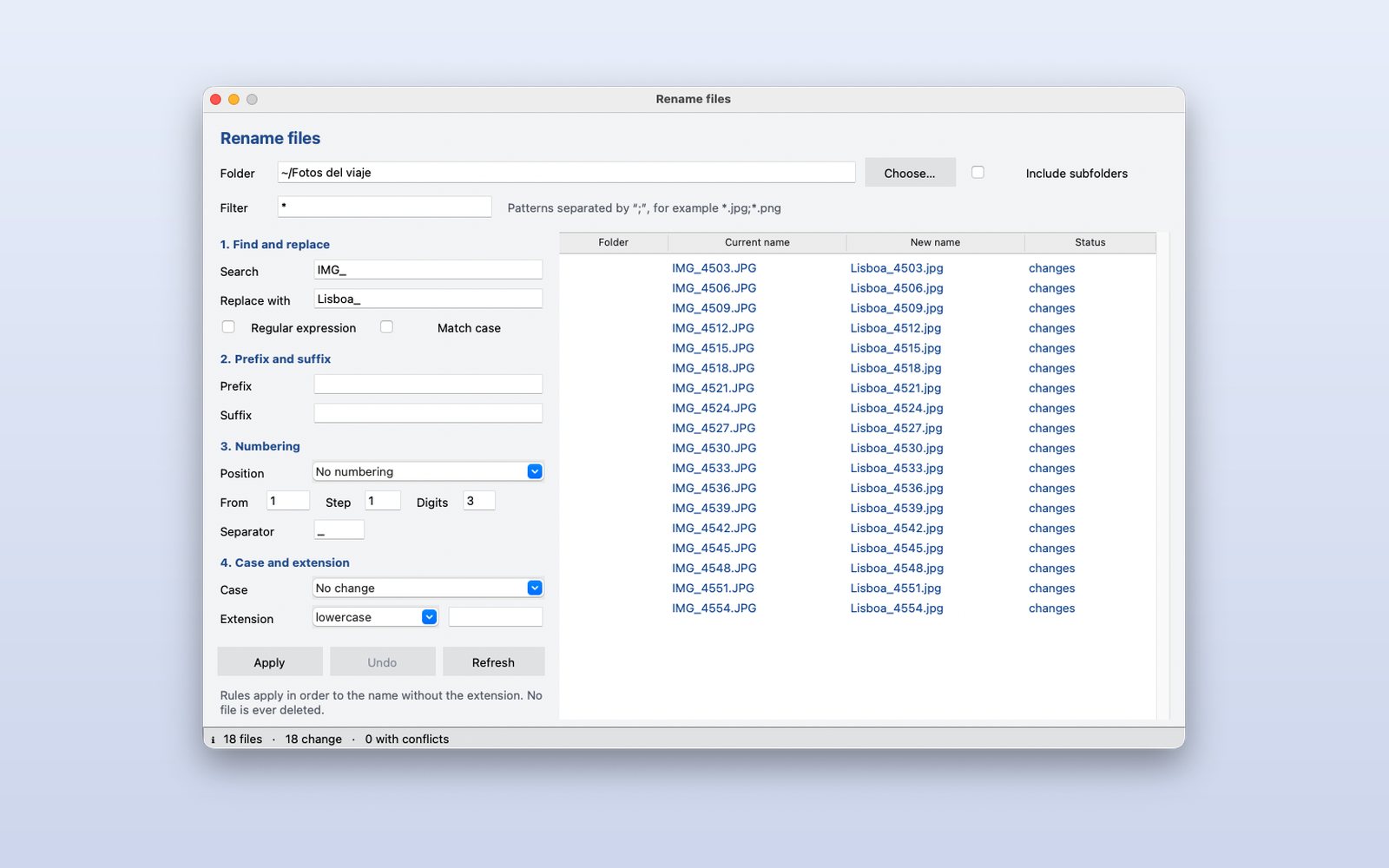
Write the rules
Find and replace, prefix and suffix, numbering, case and extension. The “New name” column changes with every key.
 3
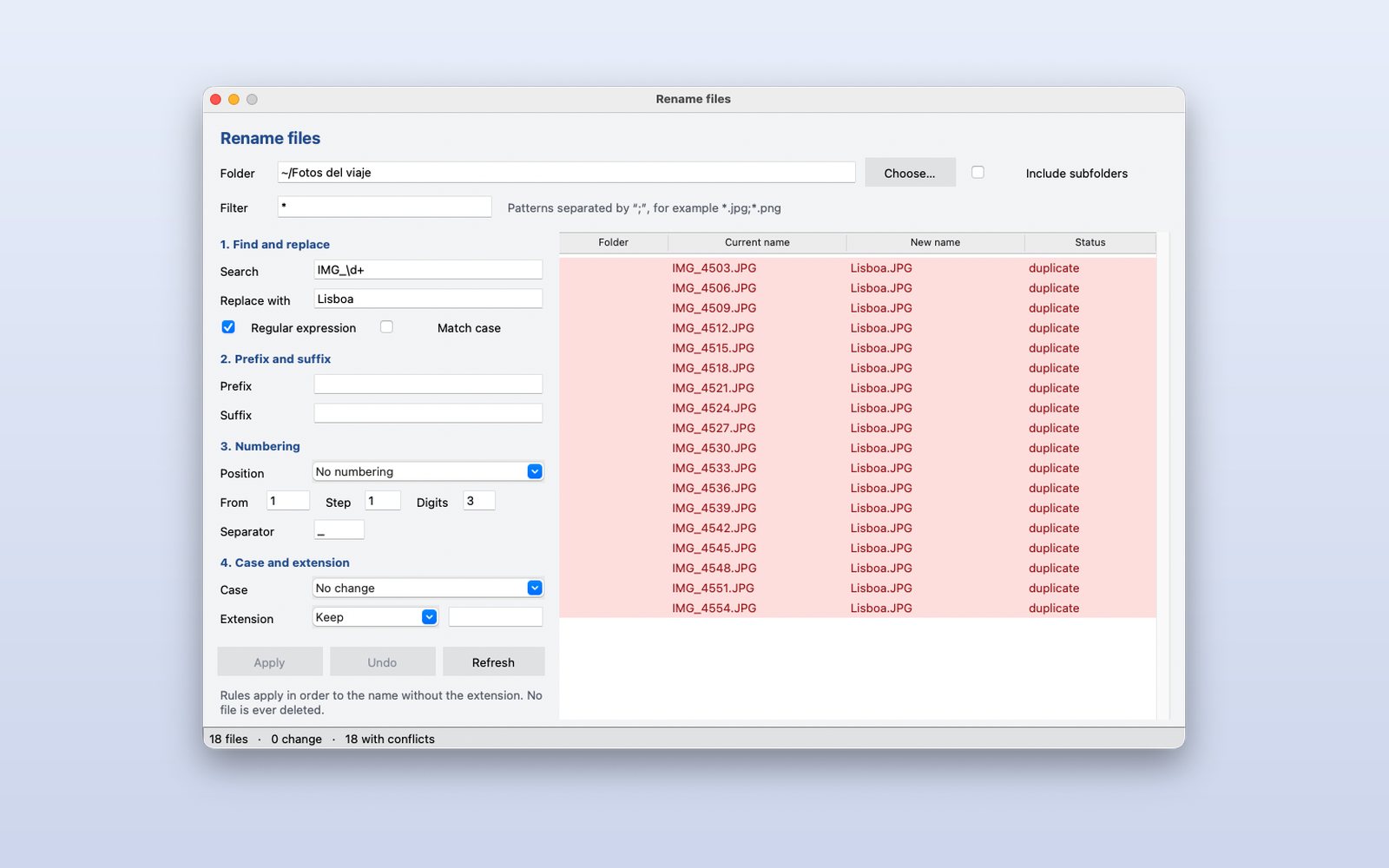
Conflicts before applying
If two files would end up with the same name, or a name is invalid on Windows, they are marked in red and Apply is disabled. Nothing is ever deleted and Undo restores everything.
This demo comes as an example in DMarlon Studio: open it in the Designer to see its design and code, change it and press Run.